Temp accounts#
When a user shares files by a link, the server makes a small account for that share: a user name, a password, an end date, and the files. These are the temp accounts. The app Shares in the menu bar of the admin pages lists them all, whoever made them, and lets an administrator look into, change, end and make them.
The list#
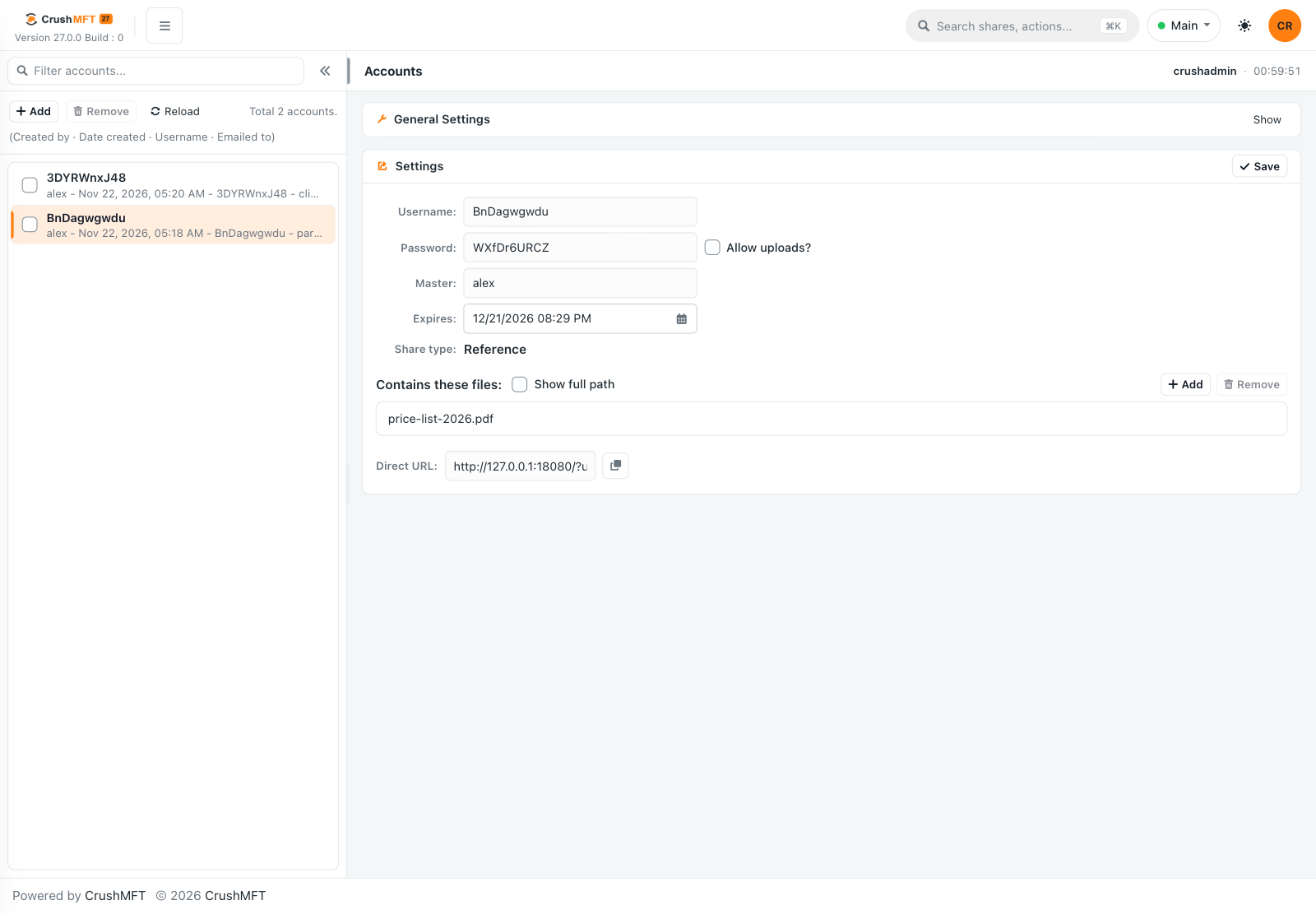
Each row is one share: "(Created by · Date created · Username · Emailed to)". Filter accounts above the list finds a share by any of these.
| Button | What it does |
|---|---|
| Add | makes a share by hand, see below |
| Remove | deletes the ticked accounts. The link stops working at once. Copies the share holds are deleted with it; files it only refers to stay. |
| Reload | reads the list again |
One account#
| Field | What it is |
|---|---|
| Username, Password | what the link logs in with |
| Allow uploads? | whoever has the link may upload |
| Master | the user who made the share |
| Expires | when the share ends, as mm/dd/yyyy hh:mm AM |
| Share type | Copy: the share has its own copy of the files. Reference: it points at the originals. Move: the files were moved into the share. |
| Contains these files | the items of the share; Show full path shows where each really is. Add and Remove change them. |
| Direct URL | the link, with a button to copy it |
Save stores a change: "Your changes are saved."
Adding a share by hand#
Add opens "Add a new share". Generate fills in a random user name and password. Set when it expires, the share type, and whether uploads are allowed. "After creating the account you can add the files you want to share." The dialog refuses an empty name or password, a name that is taken ("User already exists, choose another name."), and a date or time it cannot read.
General Settings#
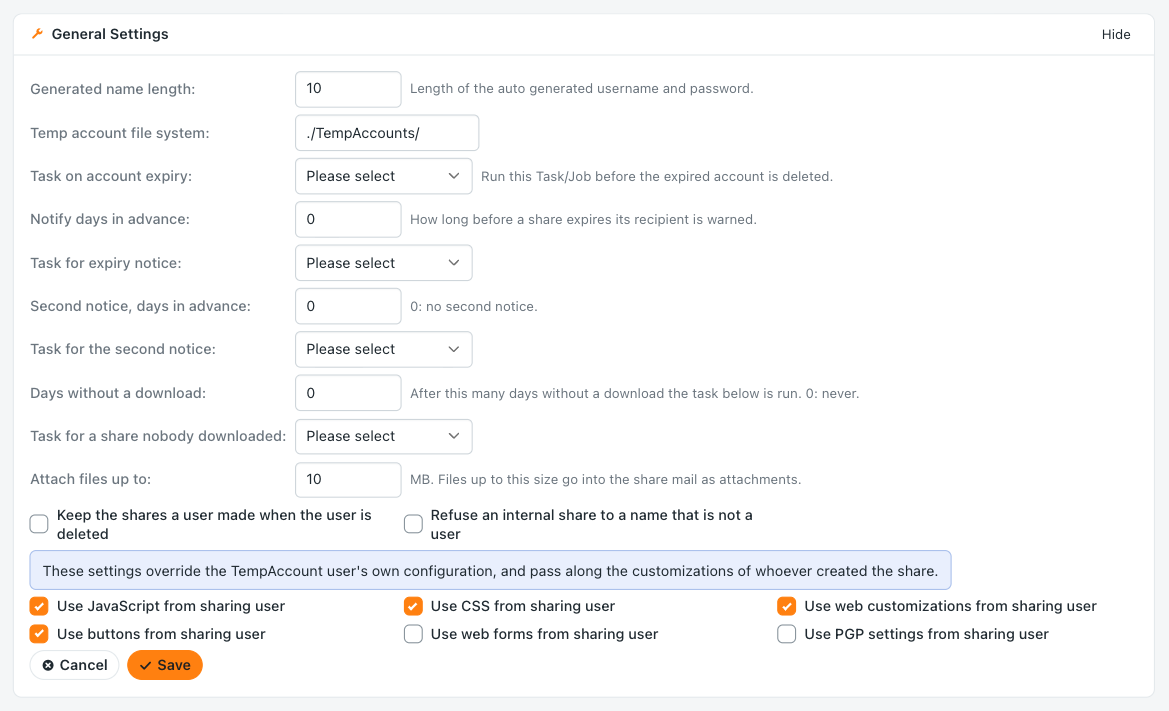
Show beside General Settings opens the settings for all shares:
| Setting | What it does | New server |
|---|---|---|
| Generated name length | "Length of the auto generated username and password." | 10 |
| Temp account file system | the folder in which the accounts and the copied files are kept | ./TempAccounts/ |
| Task on account expiry | "Run this Task/Job before the expired account is deleted." | none |
| Notify days in advance | "How long before a share expires its recipient is warned." | 0 |
| Task for expiry notice | the job that does the warning | none |
"These settings override the TempAccount user's own configuration, and pass along the customizations of whoever created the share":
| Switch | The receiver of a share gets, from the user who shared | New server |
|---|---|---|
| Use JavaScript from sharing user | the custom script | on |
| Use CSS from sharing user | the custom style | on |
| Use web customizations from sharing user | the customizations | on |
| Use buttons from sharing user | the buttons | on |
| Use web forms from sharing user | the forms | off |
| Use PGP settings from sharing user | the PGP settings | off |
What a receiver is not given by these switches comes from the user TempAccount, the template of all shares: edit it in the User Manager like any user.
Where shares are kept#
In the Temp account file system folder: accounts holds one folder per share, storage the files of the shares that copy. The name of an account's folder carries its user name, password, maker and end date.
Warning
Whoever can read this folder can use every share. Keep it where only the server's own account can read it, and out of every user's folders.
Things to know#
- A user needs the Share permission on a folder to share from it: see The VFS editor.
- Users see and end their own shares with the button Manage Shares. This app is for administrators, and for accounts with the older flags "View shares (TempAccounts)" or "View and edit shares (TempAccounts)": see Site preferences.
- Shares with other users of the server are not temp accounts: they appear as folders in the receiver's own account.