The SMB server#
A listener of the protocol SMB (SMB://) makes CrushMFT a Windows file server: users connect a network drive, from Windows, macOS or Linux, and see their CrushMFT folders in it. What they reach is their own VFS, with its permissions, wherever the files really are.
The server speaks SMB itself. It does not use the file sharing of the machine it runs on, and both can exist side by side when they use different addresses or ports.
It is made in IP / Servers, with the usual port 445. A user needs SMB among their allowed protocols: Protocols a user may use.
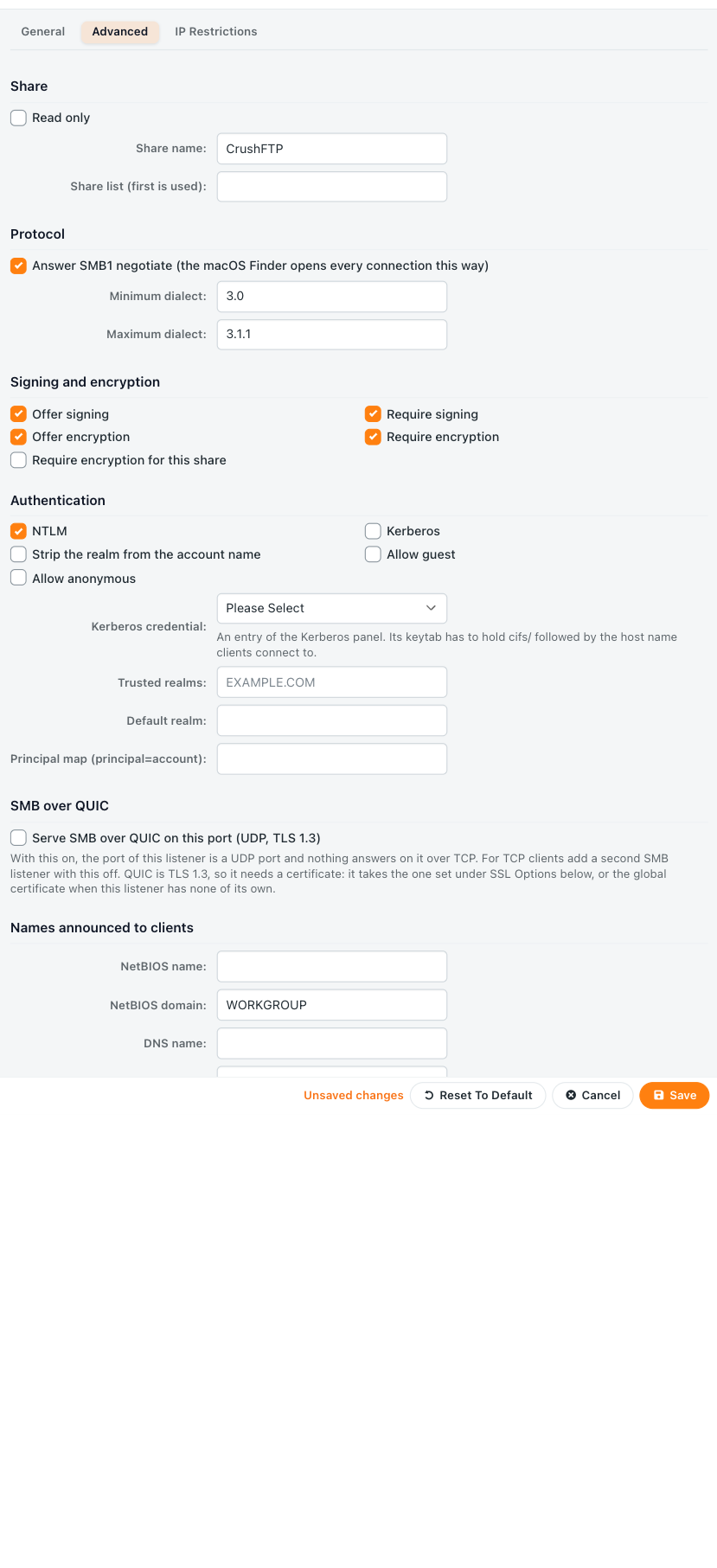
Share#
| Setting | What it does | New listener |
|---|---|---|
| Share name | the name of the share clients connect to: \\server\CrushMFT |
CrushMFT |
| Share list (first is used) | further names for the same share | empty |
| Read only | nobody can change anything through this listener, whatever their permissions | off |
Each user sees their own folders in the share. There is one share; who sees what is decided by the user who logs in.
Protocol#
| Setting | What it does | New listener |
|---|---|---|
| Minimum dialect, Maximum dialect | the oldest and newest SMB version the listener speaks | 3.0, 3.1.1 |
| Answer SMB1 negotiate | answers the old-style first packet, with which "the macOS Finder opens every connection". It does not mean SMB1 is spoken: the client is moved on to SMB 2 or 3. | on |
| Offer signing, Require signing | every message carries a signature, so that it cannot be changed on the way | on, on |
| Offer encryption, Require encryption | the session is encrypted; a client that cannot is refused | on, on |
| Require encryption for this share | demands it for the share even when the listener as a whole only offers it | off |
A new listener accepts only clients that sign and encrypt, with SMB 3.0 or newer: Windows 8 and Windows Server 2012 and everything after, current macOS and Linux. Lower the minimum dialect, or turn the requirements off, only for a device that cannot do better, and then on a listener of its own.
Who may log in#
| Setting | What it does | New listener |
|---|---|---|
| NTLM | login with user name and password | on |
| Kerberos | login with a ticket of a Windows domain or another Kerberos realm, without typing a password | off |
| Allow guest, Allow anonymous | lets in clients without a login, as the user anonymous |
off |
For Kerberos:
| Setting | What it is |
|---|---|
| Kerberos credential | "An entry of the Kerberos panel. Its keytab has to hold cifs/ followed by the host name clients connect to." See Kerberos. |
| Trusted realms, Default realm | the realms whose tickets are accepted |
| Strip the realm from the account name | alex@EXAMPLE.COM logs in as the CrushMFT user alex |
| Principal map (principal=account) | names that differ: a.smith@EXAMPLE.COM=alex |
In FIPS mode, NTLM is not available; use Kerberos.
SMB over QUIC#
Serve SMB over QUIC on this port (UDP, TLS 1.3): "With this on, the port of this listener is a UDP port and nothing answers on it over TCP. For TCP clients add a second SMB listener with this off. QUIC is TLS 1.3, so it needs a certificate: it takes the one set under SSL Options below, or the global certificate when this listener has none of its own."
SMB over QUIC is the way to offer a network drive across the internet without a VPN: it uses UDP port 443, is always encrypted, and current Windows clients can connect to it.
Names#
NetBIOS name, NetBIOS domain, DNS name, DNS domain: "Left empty, the NetBIOS and DNS names are taken from this machine's own host name, and the NetBIOS domain is WORKGROUP. Set them only when clients have to see a different name."
Limits#
| Setting | New listener |
|---|---|
| Max connections | 64 |
| Max sessions per connection | 16 |
| Max shares per session | 64 |
| Max open files per session | 4096 |
| Request timeout (seconds) | 60 |
| Max read size, Max write size, Max transact size | 1048576 bytes each |
Port 445#
- On Windows, the system's own file sharing holds port 445 on every address. Give the CrushMFT listener an address of its own that Windows does not serve, or turn the Windows service off, or use SMB over QUIC.
- On Linux and macOS, a port below 1024 needs rights the server's account may not have. Let the system forward port 445 to a high port of the listener, or give the Java program the right to bind low ports.
- Windows clients connect to port 445 and cannot be told another port.
For the client's side, see Mounting SMB and NFS. CrushMFT as an SMB client is SMB shares.