Events#
An event makes the server do something when a user does something: send a mail when a file was uploaded, start a job when a batch of files is complete, tell the other users of a folder that something changed. Events are the fifth tab of a user in the User Manager.
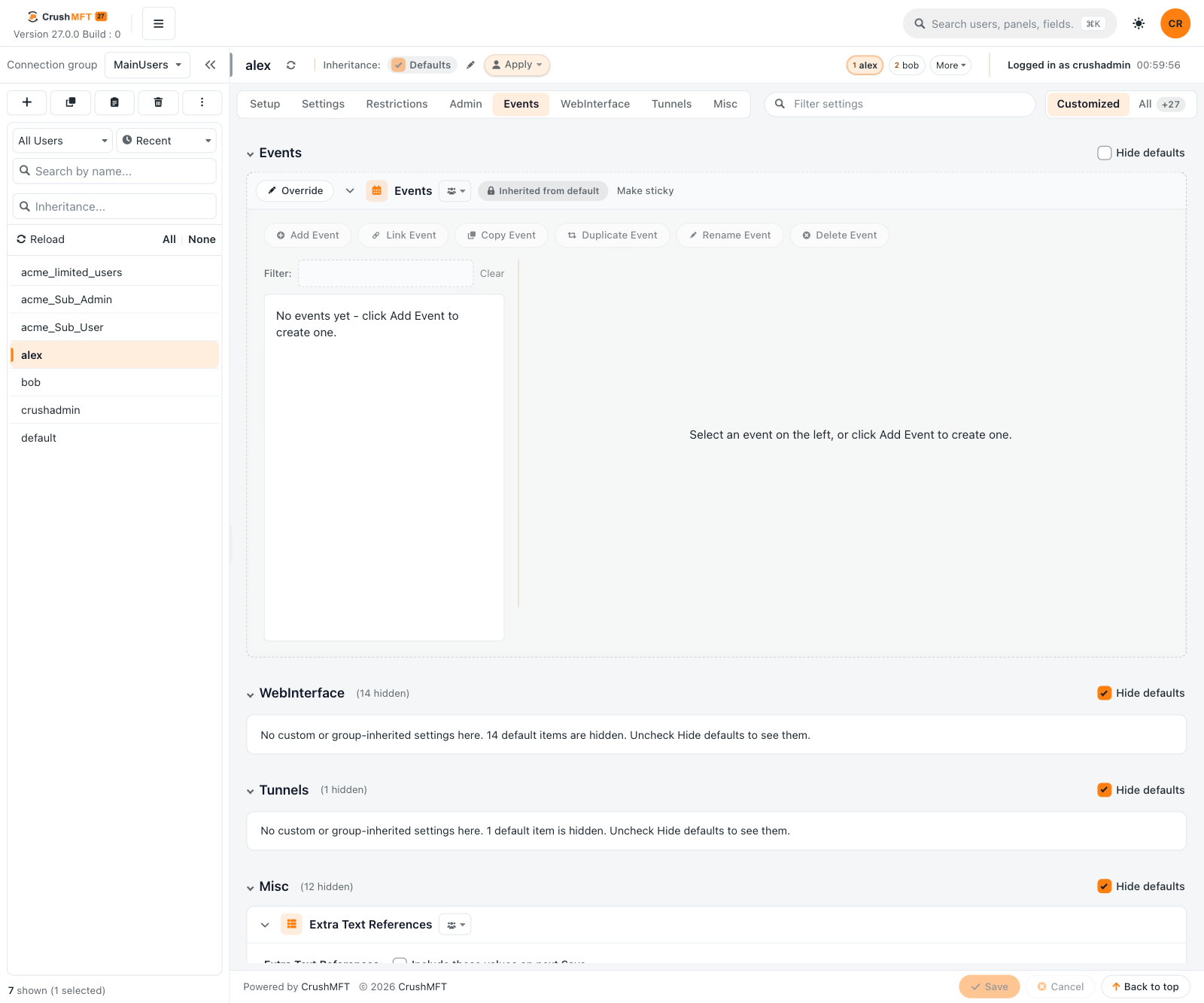
Like every part of a user, the events are inherited. Events on default hold for everybody; events on a template hold for the users who inherit from it. A user's own events need Override on the card first.
The buttons#
| Button | What it does |
|---|---|
| Add Event | asks "Please enter name for this event:" and opens the new event in the editor |
| Link Event | uses an event of another user here, without copying it: a change there changes it here |
| Copy Event | copies an event from another user into this one |
| Duplicate Event | makes a second event like the selected one |
| Rename Event, Delete Event | on the selected event |
| Filter | shortens the list to the events whose name has the text in it |
Select an event in the list to see and change it below.
What an event is made of#
| Part | The question it answers |
|---|---|
| Action | what happens: a mail, a plugin or job, or a notice to other users |
| Triggers | on what: an upload, a download, a login, an error … |
| Condition | always, or only in one folder |
| Timing & Delivery | at once, or when the user is done |
All four are on The event editor.
The kinds of event#
| You want | Use | Page |
|---|---|---|
| a mail when something happens | action Send Email | The event editor |
| files to be processed when they arrive | action Run Plugin with a job | Running a job from an event |
| other users of a folder to hear of changes | Send Reverse Notifications | Reverse events |
| something to happen before a download starts | trigger Pre-Download | Pre-download events |
| a button in the web interface that starts something | trigger Custom | Custom events |
Things to know#
- An event belongs to the user who does the thing: an upload event on
alexruns when alex uploads. The exception is the group of triggers "When someone makes a change in one of this user's VFS folders", see Reverse events. - A user has their own events and the inherited ones. To keep
default's events from a user, override the card on that user and leave the list empty. - Events that start a job wait for it, up to a limit, when the user must see the result. See Run Event Asynchronously in the editor.
- What an event did is in the server log, with the word
EVENT. Raise the log level to see why one did not run: Logging. - For the same reaction to every upload on the server, whoever the user is, one event on
defaultis the place. For a folder that is filled from outside the server, use a folder monitor.