HTTP and HTTPS ports#
The web listeners of IP / Servers serve everything that speaks HTTP: the web interface for users, the admin pages, WebDAV, the API, the S3 interface, shares by link, and the apps of the CrushMFT family.
| Listener | For | Usual port |
|---|---|---|
| Web Access SSL (HTTPS://) | everything, encrypted | 443 |
| Web Access (HTTP://) | a redirect to HTTPS; or the inner side of a load balancer or reverse proxy that does the encryption | 80 |
Use HTTPS for people. A plain HTTP port that the internet can reach should do nothing but redirect.
Advanced#
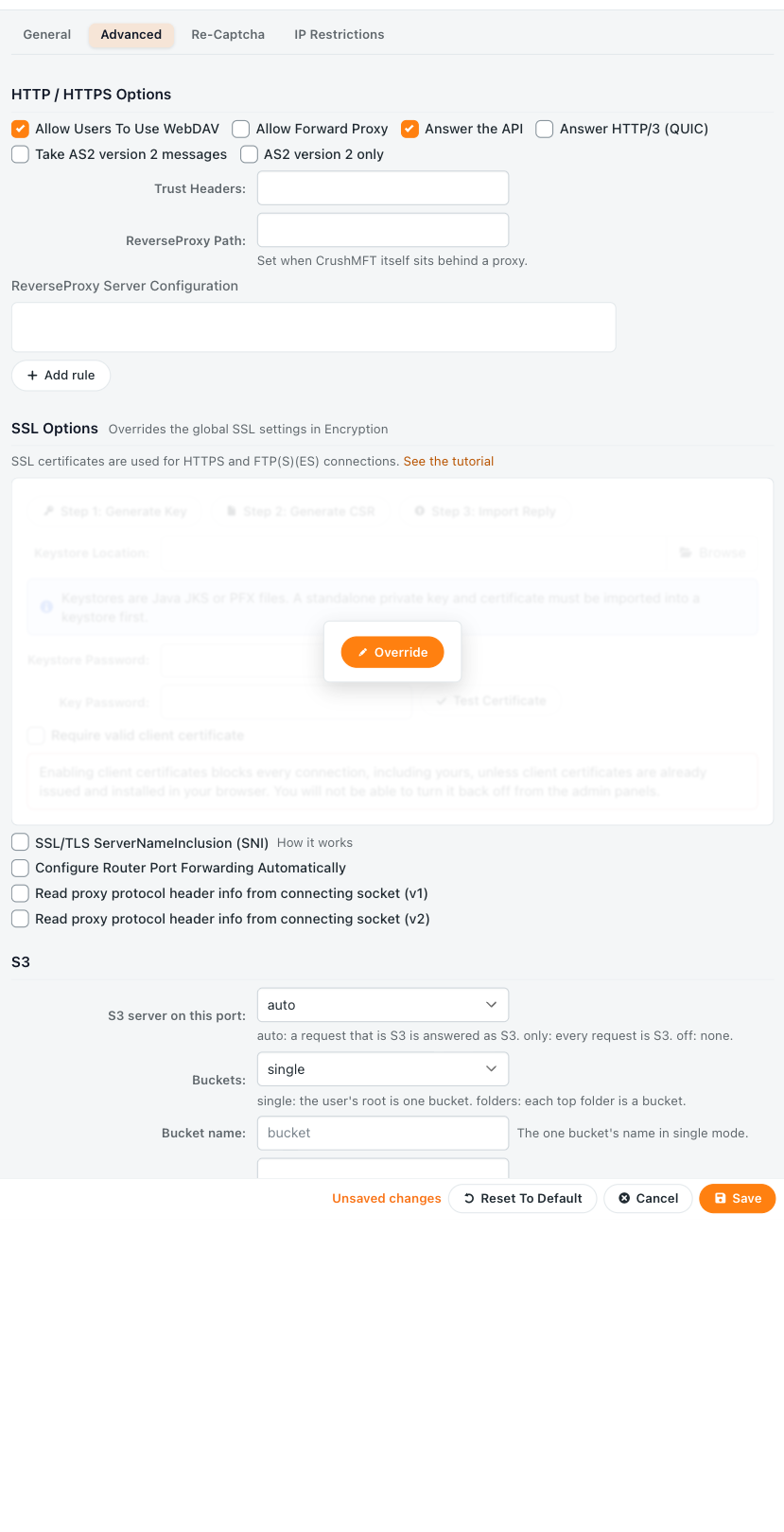
| Setting | What it does | New listener |
|---|---|---|
| Allow Users To Use WebDAV | WebDAV clients may use this port: see WebDAV | off |
| Redirected to HTTPS:// | HTTP only: every request is answered with a redirect to the same address with https | off |
| Allow Forward Proxy | users who are allowed to may use the port as a proxy to other web servers | off |
| Answer the API | the API answers on this port, while it is turned on in API | on |
| Trust Headers | a login by a header that a system in front of the server sets: see the warning in IP / Servers | empty |
| ReverseProxy Path | "Set when CrushMFT itself sits behind a proxy": the path under which the proxy publishes the server. See CrushMFT behind Apache, nginx or a load balancer. | empty |
| Add rule | rules that hand requests on to other web servers: see The reverse proxy | none |
| SSL Options, Require valid client certificate, SNI | HTTPS only: see SSL on a port, SNI | the server's own certificate |
| Read proxy protocol header info from connecting socket | see The PROXY protocol on a port | off |
| Configure Router Port Forwarding Automatically, Delay between protocol commands | see IP / Servers | off, 0 |
The tab Re-Captcha puts a reCAPTCHA on the login page of this port: see IP / Servers.
The usual set-up#
| Listener | Settings |
|---|---|
| HTTPS on 443 | a certificate browsers trust; Answer the API as you need it |
| HTTP on 80 | Redirected to HTTPS:// on, nothing else |
People who type the name without https:// then land on the secure port.
Which TLS versions and ciphers the HTTPS port accepts is set for the whole server, in SSL and Ciphers. The security headers the server sends, such as HSTS and the content security policy, are in Content Security Policy.
Several web ports#
More than one web listener is common, and each can be set differently:
| A port for | Set apart by |
|---|---|
| the public: users and shares | Answer the API off; reCAPTCHA; no admin logins, by the server's rules for where administrators may come from |
| administration | an address of the internal network only, or IP restrictions |
| scripts and integrations | Answer the API on, restricted to the addresses of those systems |
| a second set of users | another user connection group, with a login page of its own |
HTTP/3#
An HTTPS port can also answer HTTP/3, over UDP on the same port number: see HTTP/3.
Things to know#
- A change of a listener restarts that listener when you save. People who are connected through it are cut off for a moment.
- Behind a load balancer, the server sees the balancer's address for every user unless the balancer says who the client is: The PROXY protocol on a port or Behind a proxy.
- The login page, its look and its texts are set in Login page themes, not on the port.