SharePoint: the older REST interfaces#
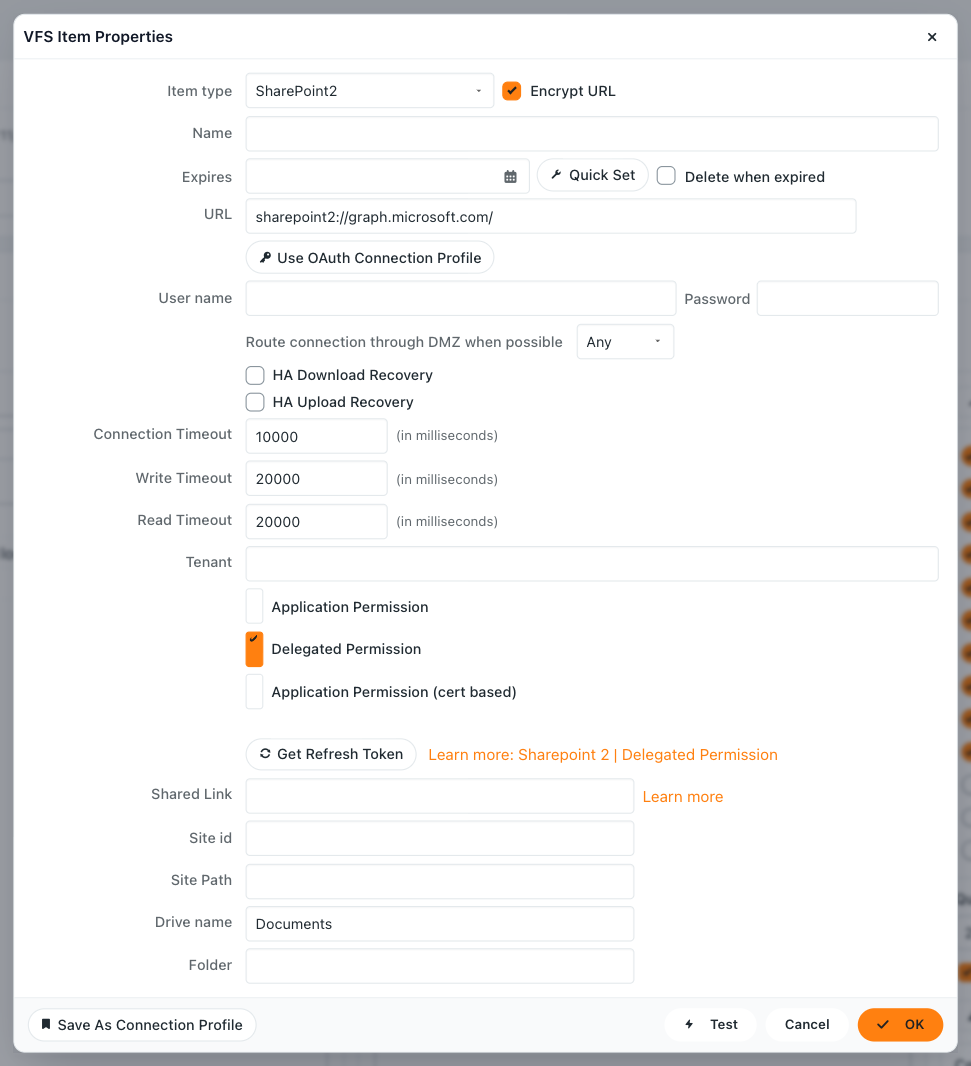
The item type SharePoint2 of a VFS reaches SharePoint Online through SharePoint's own REST interfaces, at the address of your tenant, yourtenant.sharepoint.com, instead of through Microsoft Graph.
Use the type SharePoint for anything new. SharePoint2 is for
- organizations that allow apps the permissions of SharePoint and not those of Microsoft Graph;
- servers that may reach
yourtenant.sharepoint.comand notgraph.microsoft.com; - items that were made this way in an earlier version.
At Microsoft#
-
Register an app in Microsoft Entra ID, with the redirect URI for the delegated way: the address of your server's web interface followed by
register_microsoft_graph_api/. -
Under API permissions, Add a permission, and choose SharePoint, not Microsoft Graph:
Permission Gives the app Sites.Selectedonly the sites it is then granted AllSites.Write,AllSites.Managewriting, or managing, in all sites AllSites.FullControleverything in all sites as an application permission for an app that acts for itself, or as a delegated one for a person who signs in.
-
Grant admin consent.
-
For the application way, upload a certificate: SharePoint's own interfaces do not accept an app that proves itself with a client secret. See An app with a certificate for how to make one.
In the item#
The choices are those of the type SharePoint:
| Choice | Asks for | Page |
|---|---|---|
| Delegated Permission, then Get Refresh Token | Client ID, Client Secret, Tenant, and a Scope | Signing in as a user |
| Application Permission (cert based) | Client ID, Thumbprint, Private Key, Tenant | An app with a certificate |
| Application Permission | Client ID, Client Secret, Tenant | works only where the tenant still accepts secrets for SharePoint |
For the delegated way, the scope of the sign-in must name your tenant's own address. The dialog builds it from the Shared Link, or from Site id: fill one of them in before you press Get Refresh Token. Without either it stops with "You must provide a Sharepoint Site ID."
Where in SharePoint#
Shared Link is required for this type: paste the address of the library, or the link that Copy link gives for a folder. The server takes the tenant's address and the site from it. The fields Site id, Site Path, Drive name and Folder narrow it down as on SharePoint.
A server behind a proxy or a strict firewall must be let out to login.microsoftonline.com and to yourtenant.sharepoint.com.
When it does not work#
| What you see | Usually |
|---|---|
| "Unsupported app only token" | an app with a client secret: SharePoint wants a certificate |
| "access denied" | a permission of Microsoft Graph was added instead of one of SharePoint; no admin consent |
| nothing is found | no Shared Link |
| the sign-in works and the token is refused | the token was made for another address than the one in Shared Link: get a new one after changing the link |