Google Cloud Storage#
An item of a VFS can point at a bucket of Google Cloud Storage, with the item type GStorage.
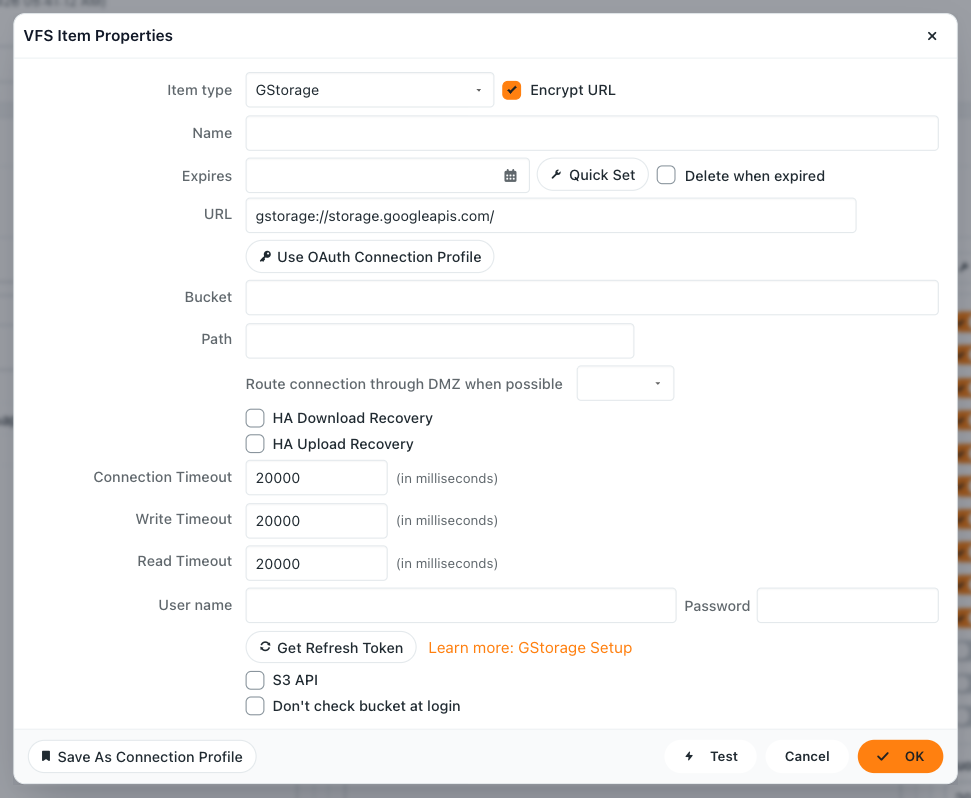
Where#
| Field | What it is |
|---|---|
| URL | gstorage://storage.googleapis.com/ |
| Bucket | the name of the bucket |
| Path | a folder in the bucket, to give the user only that |
| Don't check bucket at login | does not look at the bucket when connecting. For accounts that may use objects and not see the bucket itself. |
Who: three ways#
An OAuth client and a person's sign-in#
The server acts as a Google account that signs in once.
- In the Google Cloud console, under APIs & Services, make sure the Cloud Storage API is enabled.
- Under Credentials, create an OAuth client ID of the type Web application.
- As Authorized redirect URI, enter the address of your server's web interface followed by
?command=register_gdrive_api, such ashttps://files.example.com/?command=register_gdrive_api. It must be the address you use in the browser while you make the item. - Copy the Client ID and the Client secret.
- On the consent screen, publish the app. An app left in "Testing" only works for the test users you list, and its sign-ins run out after a week.
- In the item, press Get Refresh Token. Enter the client ID and the client secret; if the server is behind a reverse proxy under a path, enter that path too. A Google window opens: sign in with the account that has the rights on the bucket, and allow the access.
The item then holds the client and a refresh token. The password of the Google account is never stored.
A service account, through an OAuth profile#
For a server, a service account is the better identity: it belongs to the project, not to a person who may leave.
Make a connection profile of the type OAuth for the service account, then press Use OAuth Connection Profile in the item: see Special types. Give the service account a role on the bucket, such as "Storage Object Admin".
On a server that runs in Google Cloud, the OAuth profile can use the machine's own identity, with no key at all: the grant type Google VM Lookup.
HMAC keys and the S3 way#
Tick S3 API. The item then speaks Google's S3-compatible interface, and User name and Password are an HMAC access ID and its secret, made in the bucket settings under Interoperability.
What to expect#
Cloud Storage is object storage: no real folders, and a rename is a copy and a delete. See "Good to know" on Amazon S3; the same holds here.
A server that reaches the internet through a proxy or a strict firewall must be let out to oauth2.googleapis.com and storage.googleapis.com.
The options every type has are on Advanced options of a VFS item.
When it does not work#
| What you see | Usually |
|---|---|
| "redirect_uri_mismatch" in the Google window | the redirect URI of the OAuth client is not exactly the address in your browser plus ?command=register_gdrive_api: http or https, the host name, the port |
| it worked for a week | the app is in "Testing" |
| "access denied" on the bucket | the account or service account has no role on this bucket |
| listing works, uploads fail | a role that may only read, such as "Storage Object Viewer" |