Groups#
A group is a named list of users. Groups are for you, the administrator: to find users, to select many at once, and to say whom a limited administrator may look after. A group has no settings of its own. To give several users the same settings, let them inherit from one user: see Inheritance. The two go well together: a group "Staff" whose members all inherit from a user "staff_template".
The list#
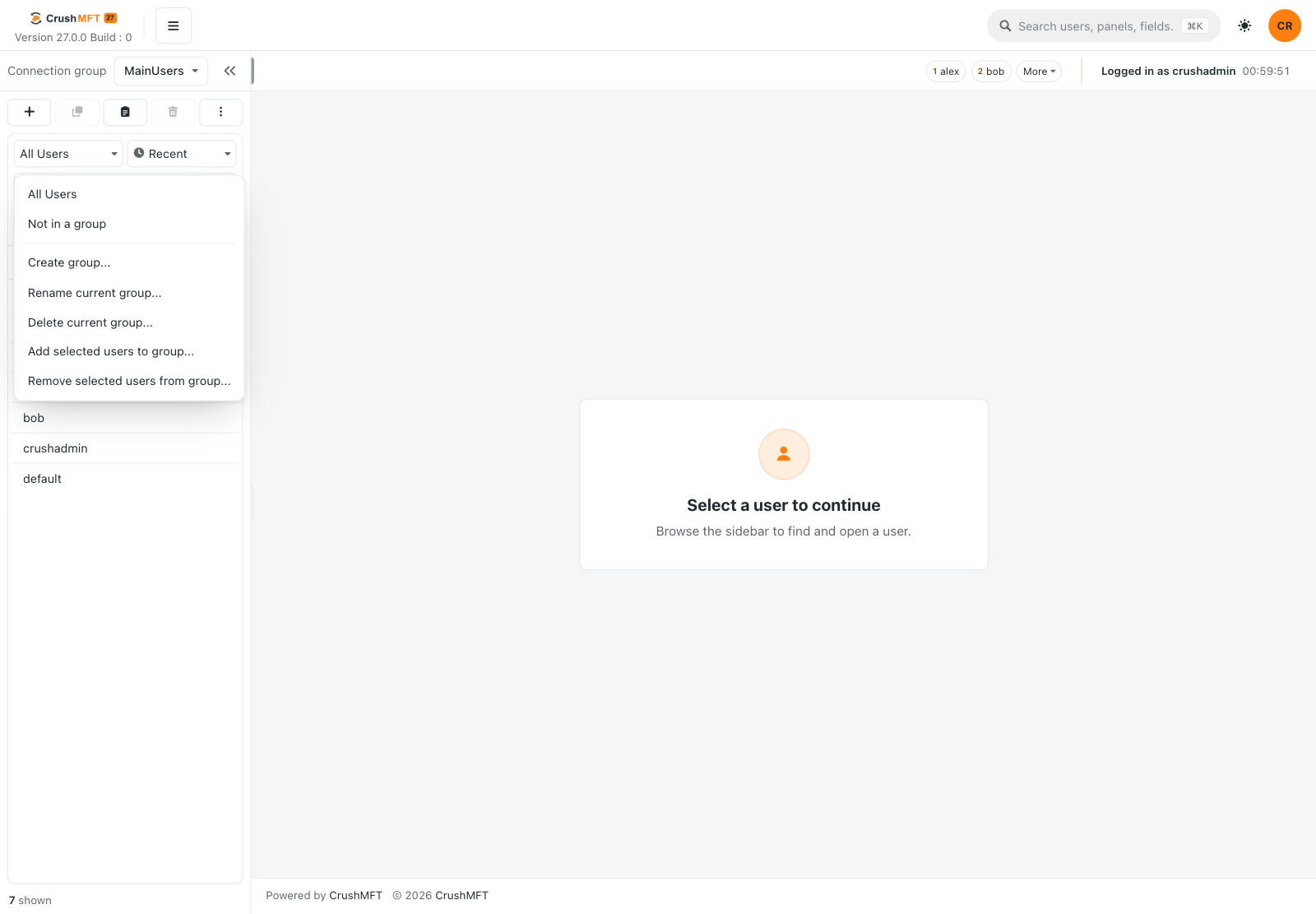
Groups are in the list at the top of the user list in the User Manager, where it says All Users:
| Entry | Shows |
|---|---|
| All Users | everybody in the connection group |
| Not in a group | the users that are in no group |
| the name of a group | its members |
The commands#
They are in the same list, below the groups.
| Command | What it does |
|---|---|
| Create group... | asks for a name and makes a group of the users that are selected: "Total 1 user(s) selected". The answer is "New group "Staff" added (with total 1 users)." |
| Rename current group... | gives the group that is shown another name |
| Delete current group... | deletes the group that is shown, after a question. The users stay; only the list is gone. |
| Add selected users to group... | puts the selected users into a group you choose |
| Remove selected users from group... | takes the selected users out of a group |
Group changes are stored at once: there is no Save for them.
A group name cannot be empty, and some characters are refused in it, with a message that lists them.
Using a group#
- To change many users at once. Show the group, press All to select its members, change a setting on one of them and save with Apply on All Selected users in the List.
- For a limited administrator. An account with User can administer group named set to a group may manage the members of that group and nobody else: see Limited admins.
- When users are imported. A CSV file can name a group per user, or all users of an import can go into one group: see Importing users from CSV.
Where groups are kept#
In the file groups.XML of the connection group, in the server's users folder, or in the table GROUPS when users are in a database. A group belongs to one connection group.