TLS settings#
The TLS tab of the Encryption section of Preferences holds the settings that apply to every TLS port: the TLS versions, client certificates, and how key store files that change on disk are taken up. The lower half of the tab, the ciphers, is on Ciphers.
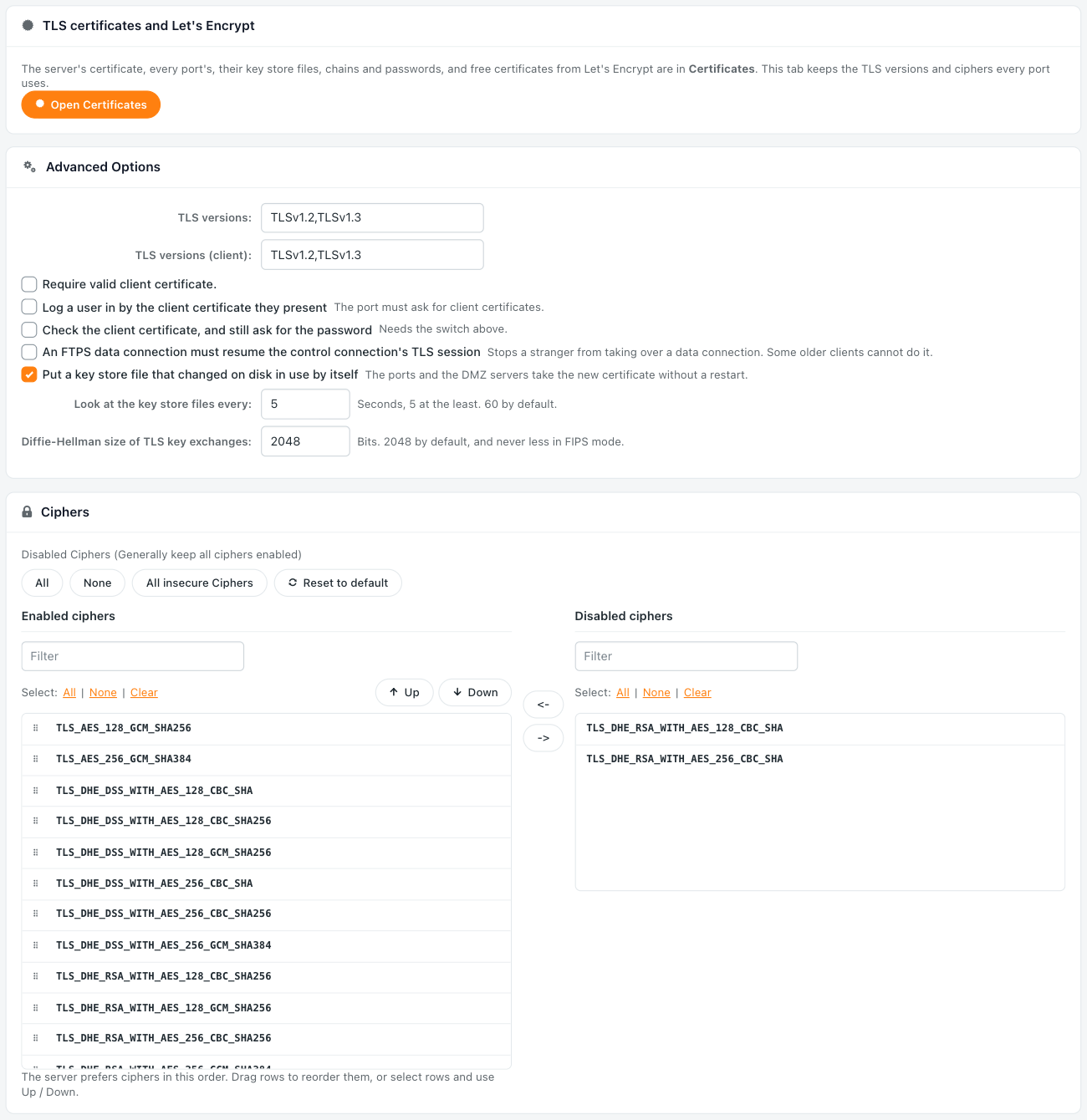
Certificates themselves are not here. The first card, TLS certificates and Let's Encrypt, says so: "The server's certificate, every port's, their key store files, chains and passwords, and free certificates from Let's Encrypt are in Certificates." Open Certificates goes there: Certificates. The server's certificate is chosen there with Use it on…, a file you manage yourself is opened under Key store files, and a request for a certificate company is Request from a company.
A new server uses a certificate that is built in, builtin. It encrypts, but every copy of CrushMFT has the same one, so browsers warn about it and it proves nothing. Replace it before the server goes live: Getting and installing certificates.
Advanced Options#
| Setting | What it does | Default |
|---|---|---|
| TLS versions | the TLS versions the server accepts from those who connect, separated by commas | TLSv1.2,TLSv1.3 |
| TLS versions (client) | the TLS versions the server uses when it connects to other servers itself | TLSv1.2,TLSv1.3 |
| Require valid client certificate. | every client must show a certificate of its own that the server trusts, on every TLS port. Leave it off unless all your clients have one; it can also be set on a single port. | off |
| Log a user in by the client certificate they present | the certificate is the login: Client certificates. "The port must ask for client certificates." | off |
| Check the client certificate, and still ask for the password | the certificate is checked, and the user also types the password. "Needs the switch above." | off |
| An FTPS data connection must resume the control connection's TLS session | "Stops a stranger from taking over a data connection. Some older clients cannot do it." | off |
| Put a key store file that changed on disk in use by itself | "The ports and the DMZ servers take the new certificate without a restart." A file that does not open is not taken; the ports keep what they serve. | on |
| Look at the key store files every | "Seconds, 5 at the least. 60 by default." | 60 |
| Diffie-Hellman size of TLS key exchanges | "Bits. 2048 by default, and never less in FIPS mode." | 2048 |
Add TLSv1.1 or TLSv1 only for an old client that cannot do better, and take it out again when that client is gone.
A summary of these settings is in Certificates, Where used, under Advanced.
After a change#
New TLS versions are used after Save. Check from outside with a browser, or with:
openssl s_client -connect files.example.com:443 -servername files.example.com
It shows the certificate the server presents and the TLS version that was agreed. Certificates, Where used, shows what each port serves.
Where the fields went#
CrushFTP 11 and the first builds of CrushMFT 27 had the server's certificate as a file here, with Generate Key, Generate CSR, Import Reply and Test Certificate. They are in Certificates now:
| Was here | Now |
|---|---|
| Certificate file, File password, Key password | a certificate of the list, Use it on…, The server's certificate; a file of your own: Key store files, Open a key store file. The setting is still cert_path. |
| Generate Key, Generate CSR | Request from a company: a new key and its request |
| Import Reply | drop the company's answer on Add certificate files: Finish the request of NAME |
| Test Certificate | every certificate is checked when it is added, and its Overview says what is wrong |
| the certificate guide | the buttons above the list, and Getting and installing certificates |
| the Certificate Files tab | Key store files |