Security#
The Security page holds the IP rules: who may connect. There is one list for everything (Global), one per listener, and one per endpoint. The rules work exactly like CrushMFT's IP restrictions. Access control has the full rules and the match syntax.
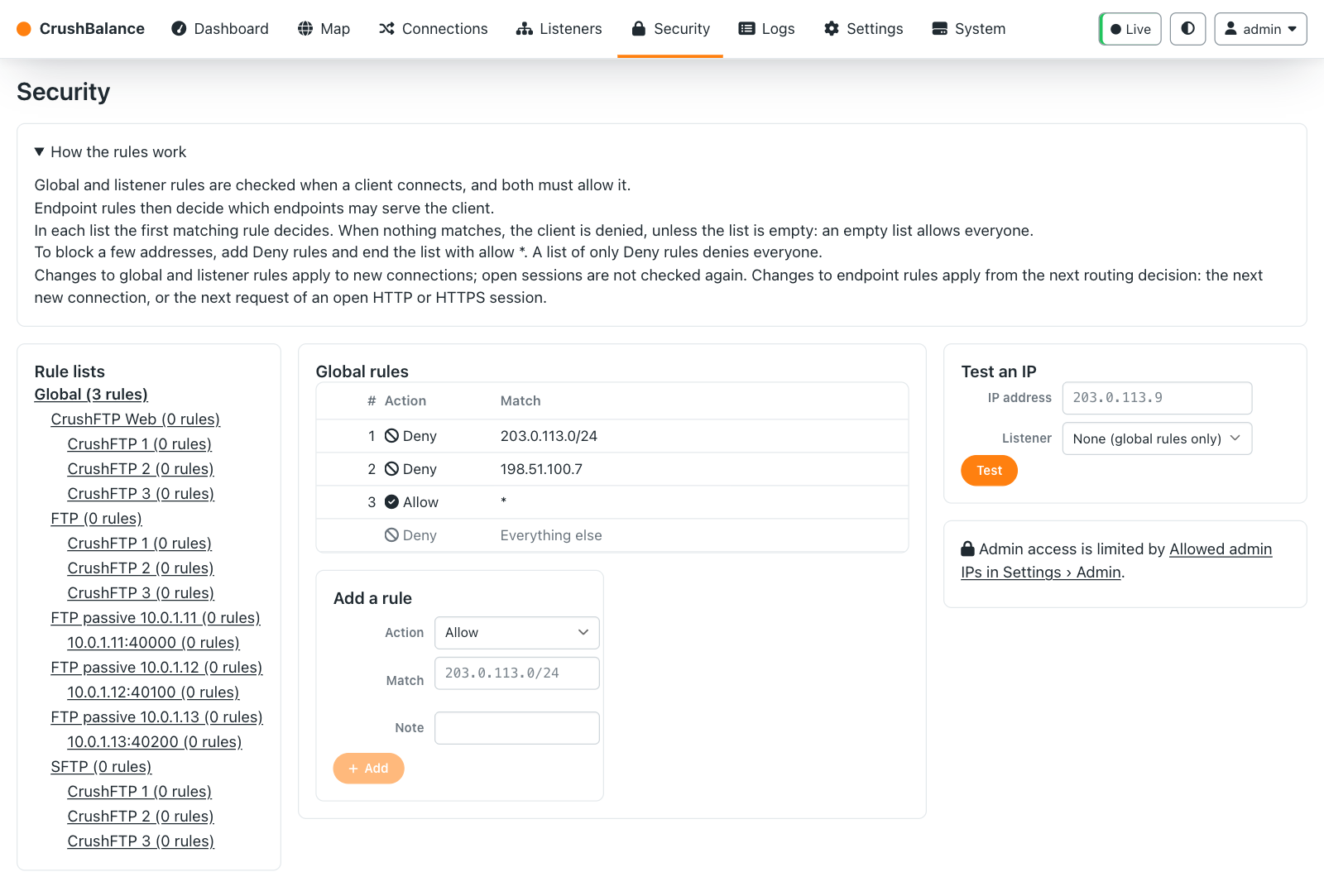
How the rules work#
- Global and listener rules are checked when a client connects, and both must allow it.
- Endpoint rules then decide which CrushMFT servers may serve that client.
- In each list the first matching rule decides.
- An empty list allows everyone. In any other list, a client that no rule matches is denied. The last row of every list, "Deny — Everything else", shows that.
- So to block a few addresses, add Deny rules and end the list with allow
*. A list of only Deny rules denies everyone; the page warns and offers to addallow *at the end.
Editing a list#
- Choose the list under Rule lists: Global, a listener, or an endpoint under its listener. The number of rules is next to each name.
- Under Add a rule, choose Allow or Deny, type the Match, and optionally a Note (shown here and in the log when the rule denies someone). Then Add.
- Click a rule to change it, to Move up or Move down (the order matters), or to Delete it. Next to each match the page shows the range it covers, and warns about a rule that can never match because an earlier one matches first.
- Save.
A match can be:
| Match | Example |
|---|---|
| one address | 203.0.113.7, 2001:db8::1 |
| a network (CIDR) | 10.0.0.0/8 |
| a range | 10.0.0.1-10.0.0.99 |
| a CrushMFT pattern | 192.168.* |
| everyone | * |
Host names are not allowed.
When a change applies: global and listener rules apply to new connections; open sessions are not checked again. Endpoint rules apply from the next connection, or the next request of an open HTTP or HTTPS session. To end the sessions of an address you just blocked, use Close all from this client… on the Connections page.
Test an IP#
Test an IP tells you what the saved rules do with an address. Type the address, optionally choose a listener, and press Test: the page shows which rule decides at each level, and whether the client is allowed or denied.
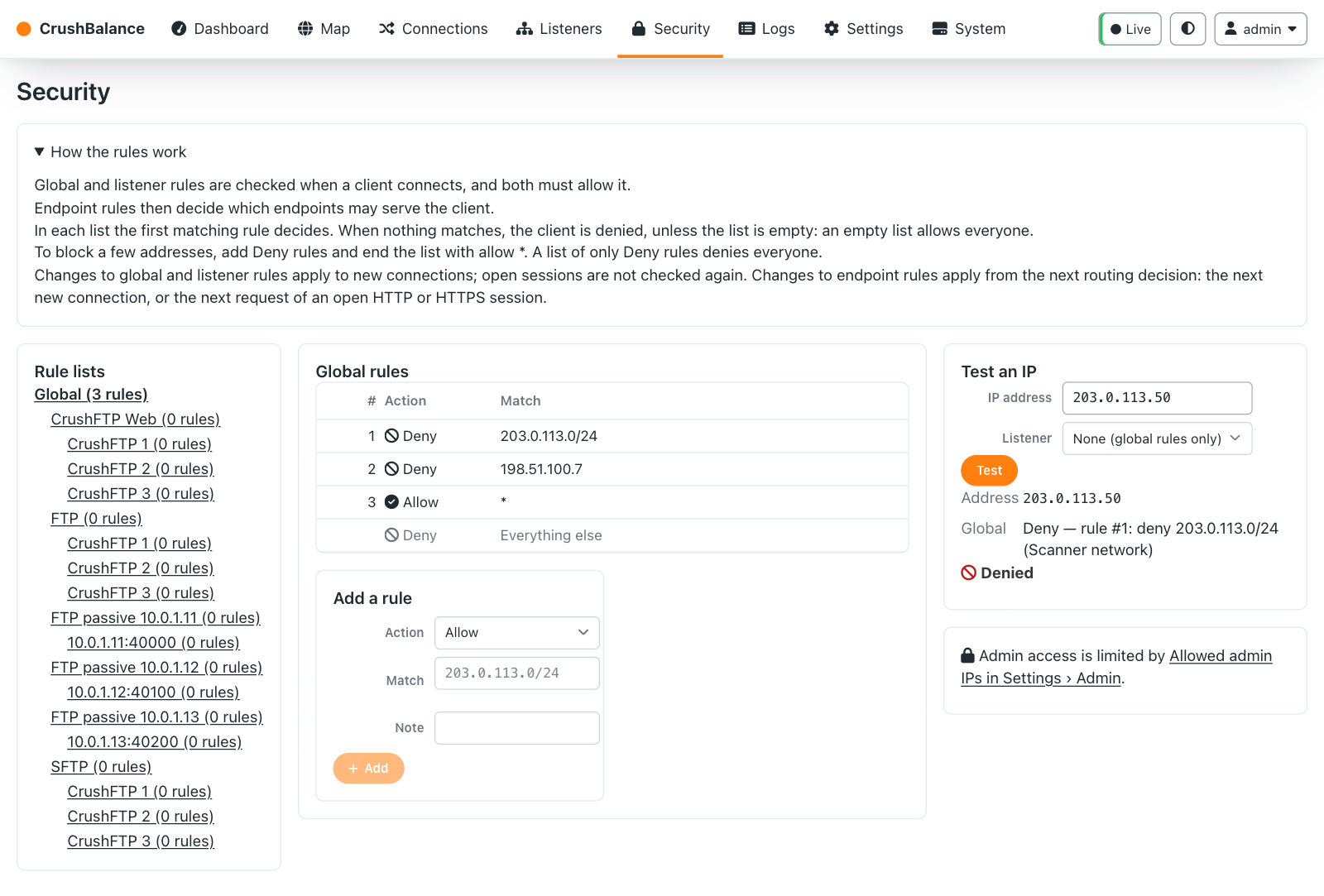
Test before you save rules for a listener that serves the public.
Block this IP#
You can also block a client straight from the Connections page: open a connection and choose Block this IP…. It puts a Deny rule at the top of the global or the listener's list, and adds allow * when the list was empty, so that only that address is denied.
Who may open the admin page#
The IP rules are for clients of the listeners. Who may reach the admin page is a separate list: Settings › Admin › Allowed admin IPs (Settings, Hardening).