Registering#
CrushBalance uses your CrushMFT Enterprise registration: the same name, email and code as in CrushMFT. Until it is registered, no listener starts; the admin page works, so you can set everything up first.
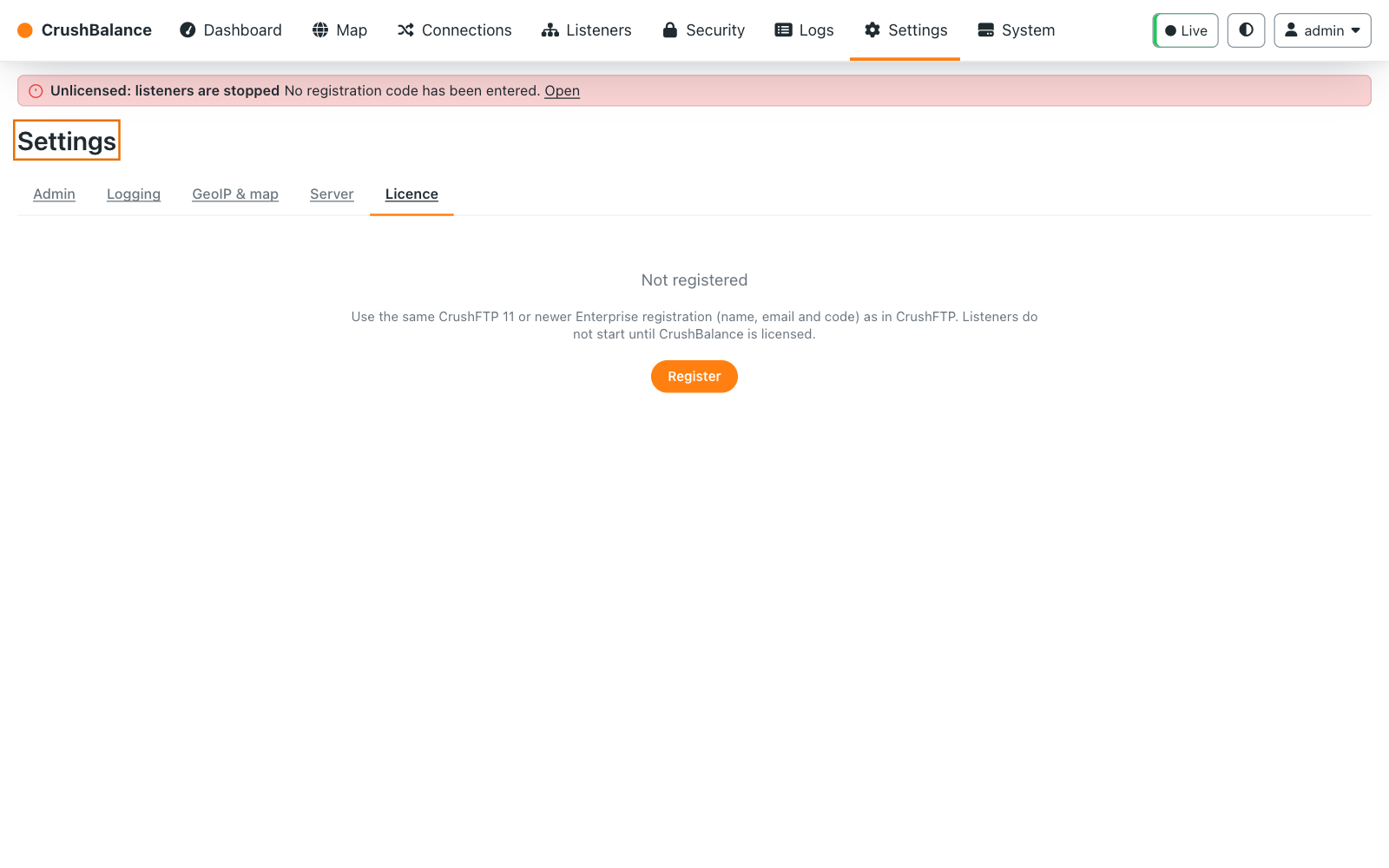
Register#
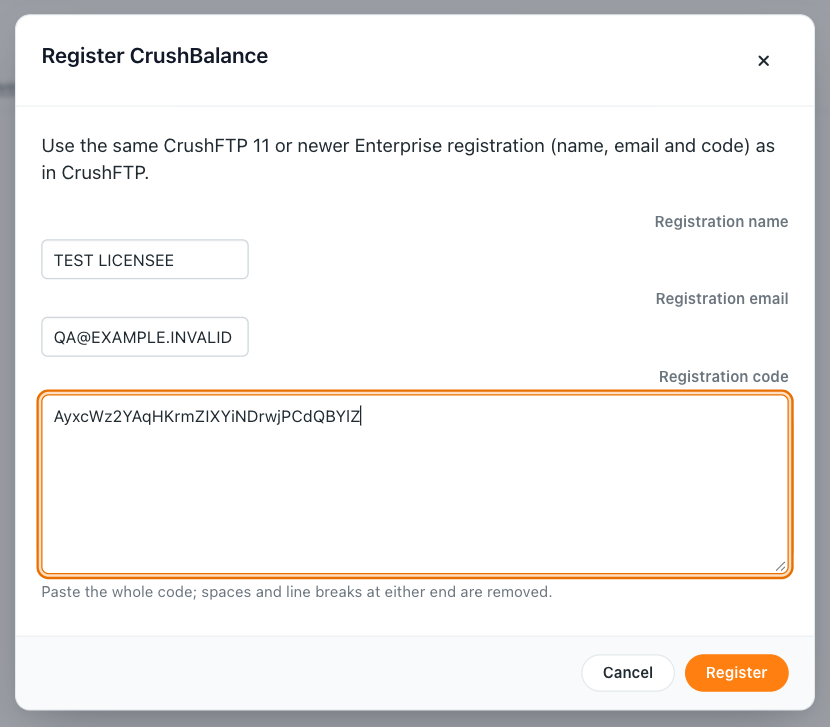
Go to Settings › Licence (the banner's Open link and the Get started card lead there too) and click Register.
When the registration is accepted, the page shows its details and the listeners start at once.
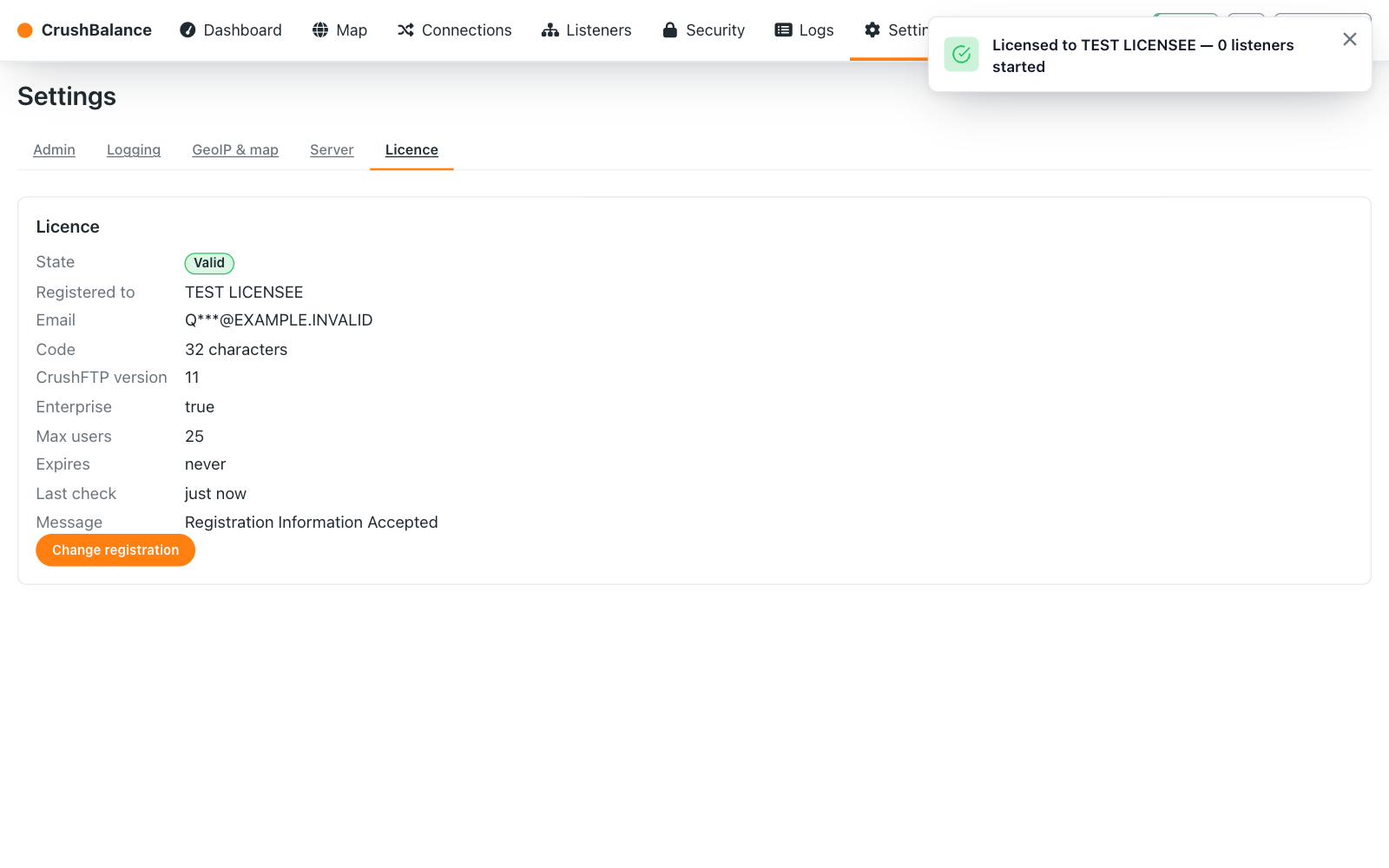
Details#
- Settings › Licence › Register takes the registration name, email and code, exactly as CrushMFT uses them. The code must be a CrushFTP 11 or newer Enterprise registration that has not expired.
- A CrushFTP 9 or 10 code is refused: "This code is for CrushFTP 10. CrushBalance 27 needs a CrushFTP 11 or newer Enterprise registration."
- A code that does not match the name and email: "Invalid Name, Email or Code!". A non-Enterprise code: "CrushBalance requires a CrushMFT Enterprise licence code."
- Nothing is saved unless the registration is valid.
- Listeners bind at once when the registration is accepted; a message reports how many started.
- Expiry. A dismissible warning ("Licence expires on … (n days)") appears 30, 7 and 1 days before the expiry date. The licence is re-checked every hour and at the expiry moment; when it expires, the listeners stop accepting new connections and open sessions continue.
- What "unlicensed" looks like:
- the banner "Unlicensed: listeners are stopped", with the reason;
- every listener in state
unlicensed, nothing bound; the Dashboard says "Stopped — unlicensed"; /healthzanswersdegraded;- one
LICENSEwarning per hour in the log; - the admin UI and the health checks keep working, so you can register.
- Alternative: a hand edit. Set the three keys
registration_name,registration_emailandregistration_codeinprefs.XML(the name may also be in CrushMFT's stored%XXform). CrushBalance picks the edit up within about 2 seconds and checks it. The code is not encrypted in the file (so a lost key file never unlicenses the balancer), but it is masked everywhere else: the UI shows only its length.