Amazon Cognito Configuration#
About Amazon Cognito : Link
Create or use an existing Amazon Cognito user pool: Cognito User Identity Pools Link A Cognito User Pool provides a secure user directory to manage sign-up and sign-in functionality. You can create a new pool or select one you’ve already configured.
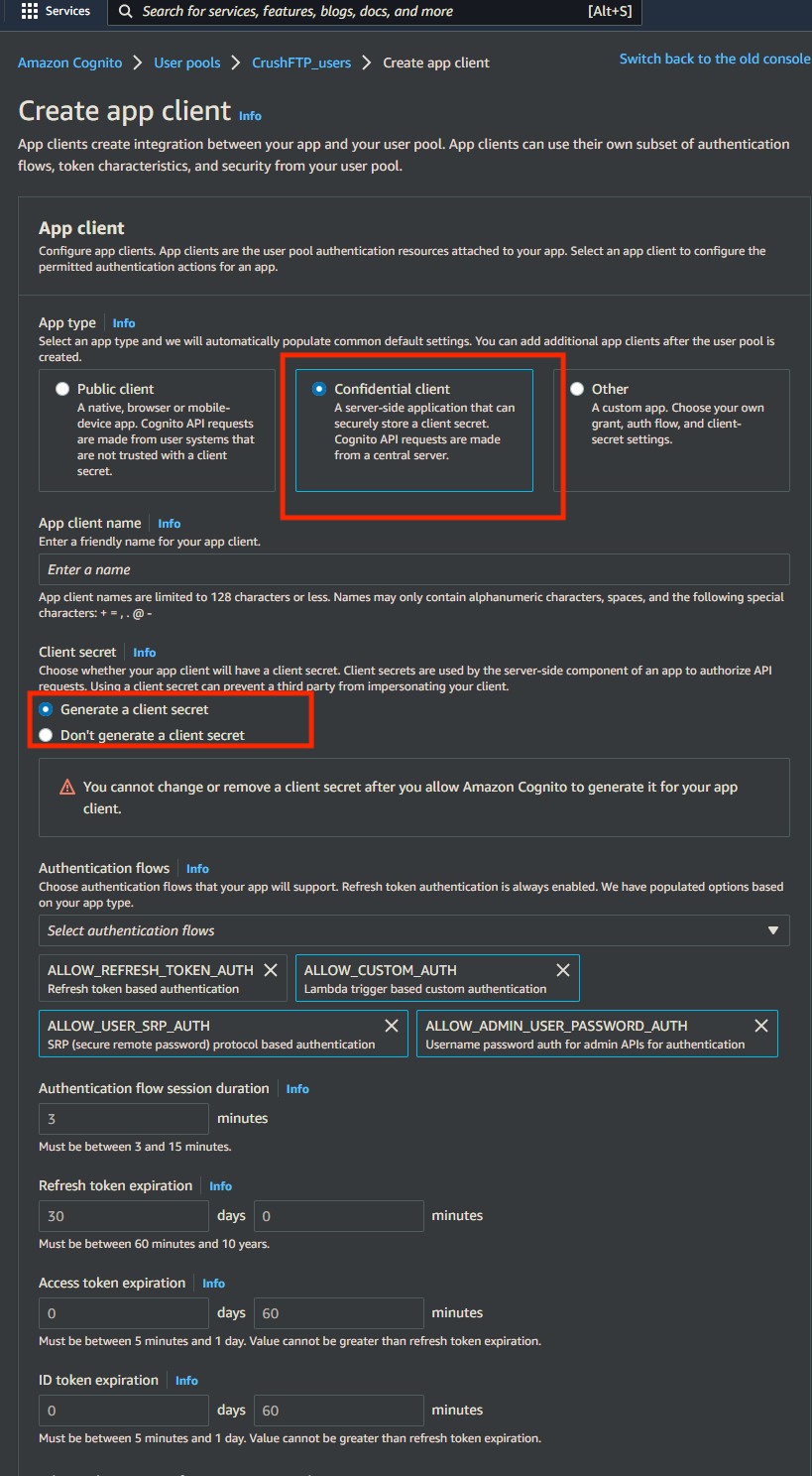
Create or configure an App Client for your Cognito User Pool: Refer to the official documentation: Cognito App Client Settings Link
An App Client is required to allow applications to authenticate users via the User Pool. You can either create a new client or configure an existing one with the necessary settings (callback URLs, OAuth flows, scopes).
App type : Select Confidential client.
Enable Generate client secret.
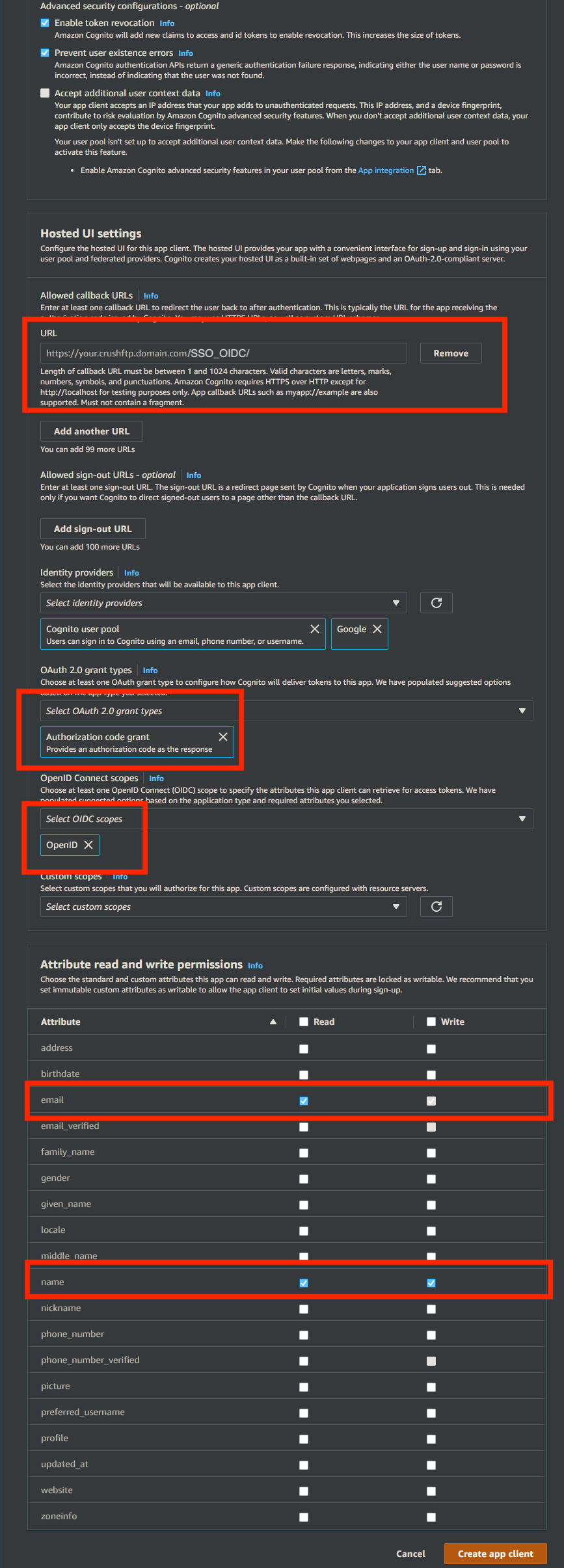
Allowed callback URLs: https://<<your CrushFTP domain>>/SSO_OIDC/
OAuth 2.0 grant types : Authorization code grant
OpenID Connect scopes : OpenID
Copy and securely store the Client ID and Client Secret as these will be required for the CrushOIDC plugin configuration.
!!!Continue on: CrushOIDC