CrushTaskExample8#
Notify users of expired password.#
This task flow needs CrushFTP version 10 and an Enterprise license to be able to use the "conditional" logic with Jump and the math variable function.
NOTE: For Normal licenses, or single notification event for any license, there is a native feature available in User Manager for this, see advanced notification of expiration
You need to create a new job in the jobs, tab.
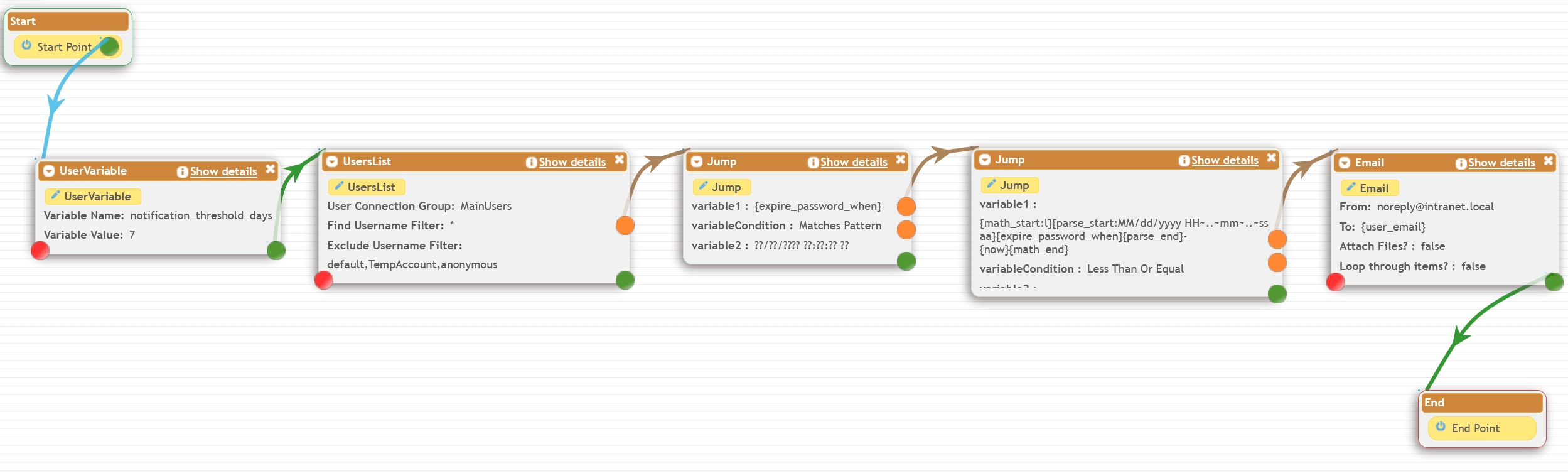
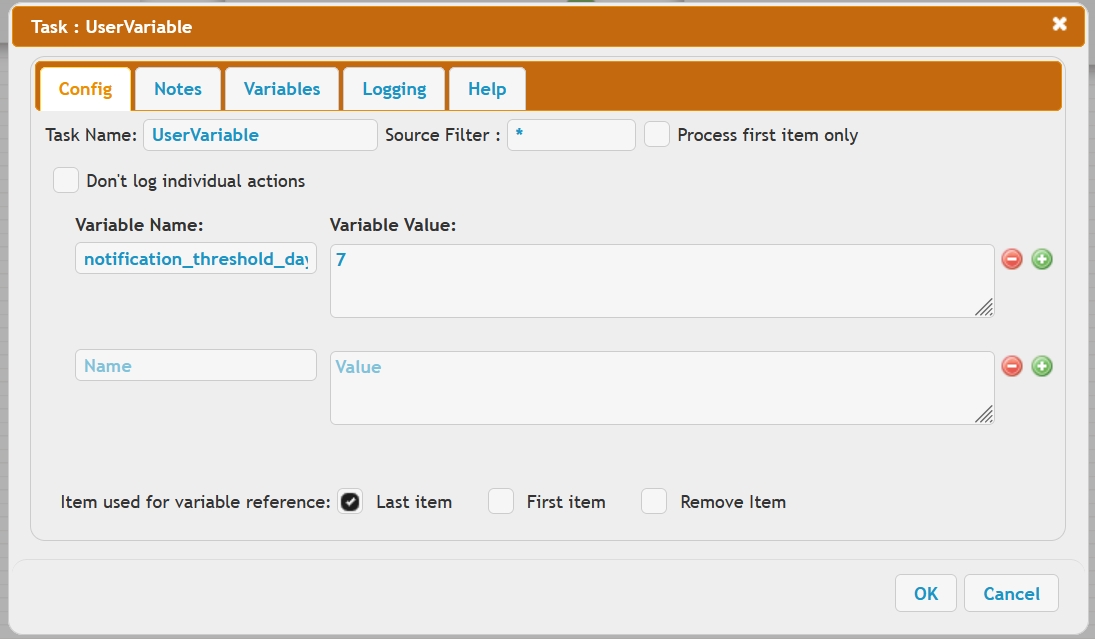
Step1: is for reusability of the Job, we define a custom variable to set the number of days
after which the notifications are triggered for a certain user. Referred to below as X days
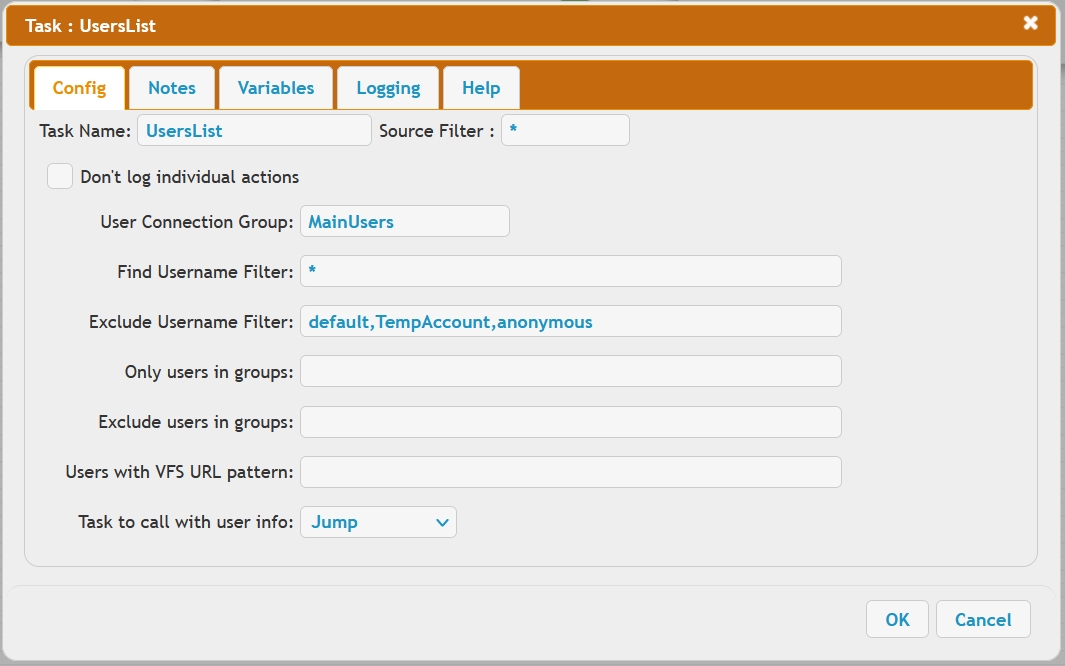
Step2: is to read and create the UserList of the users or groups we work with.
So we first link a variable from the user object loaded in Step2, and parse out its date format. Then we do a comparison with that value, versus the current date, minus X days worth. If the expire time is sooner than X day ago, we send an email. In this task all users that have the password expiration sooner then 7 days will be notified every day for the password update.
Step3: We check if the user's expiration is set and defined, with a Jump task, evaluate the expire_password_when
user object attribute value matches a date pattern.
??/??/???? ??:??:?? ??
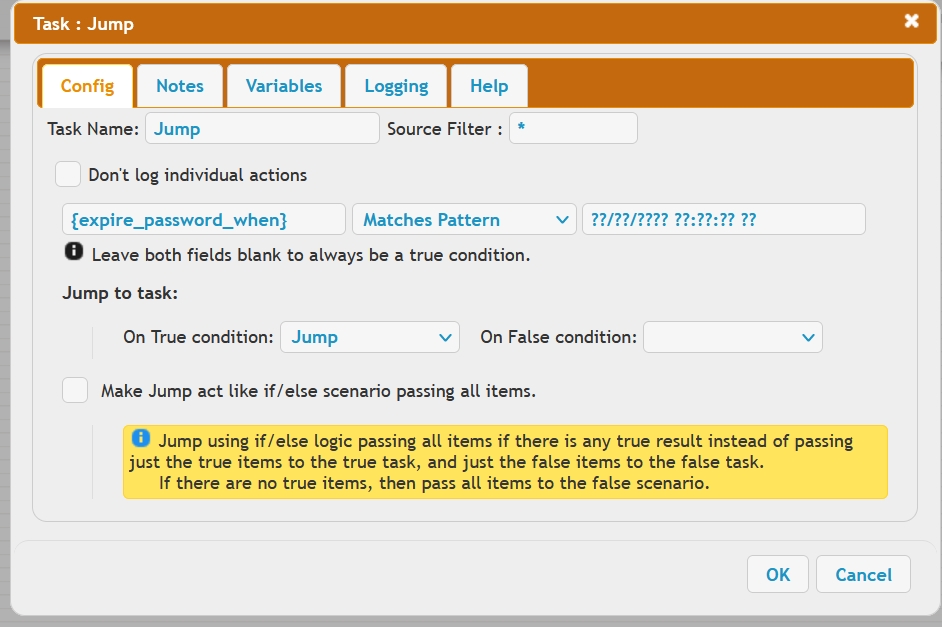
Step4: Using the math function we can determine the user expiration time from the current starting time, in milliseconds:
{math_start:l}{parse_start:MM/dd/yyyy HH~..~mm~..~ss aa}{expire_password_when}{parse_end}-{now}{math_end}
We compare this against the number of days in milliseconds, the threshold value for sending notifications.
{math_start}1000*60*60*24*{notification_threshold_days}{math_end}
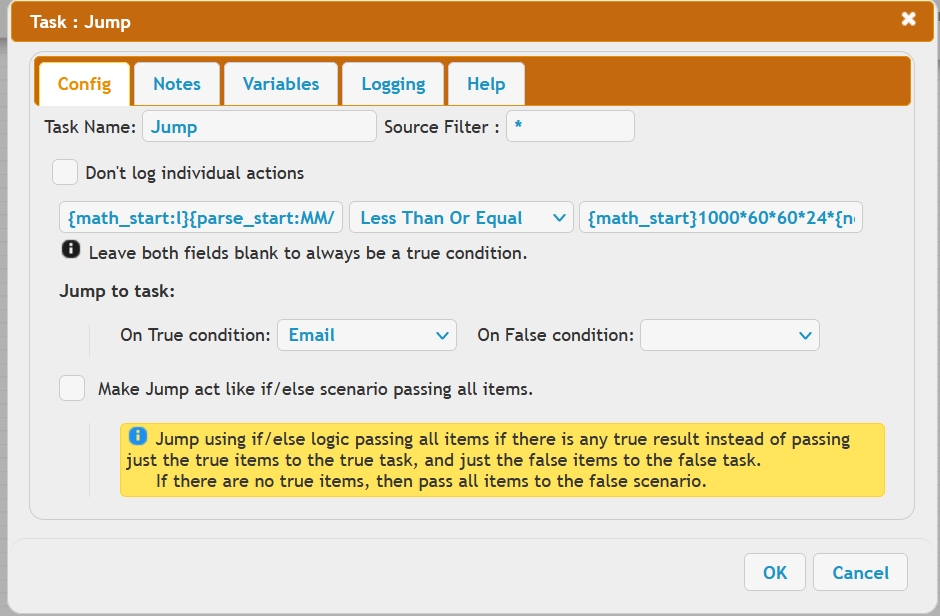
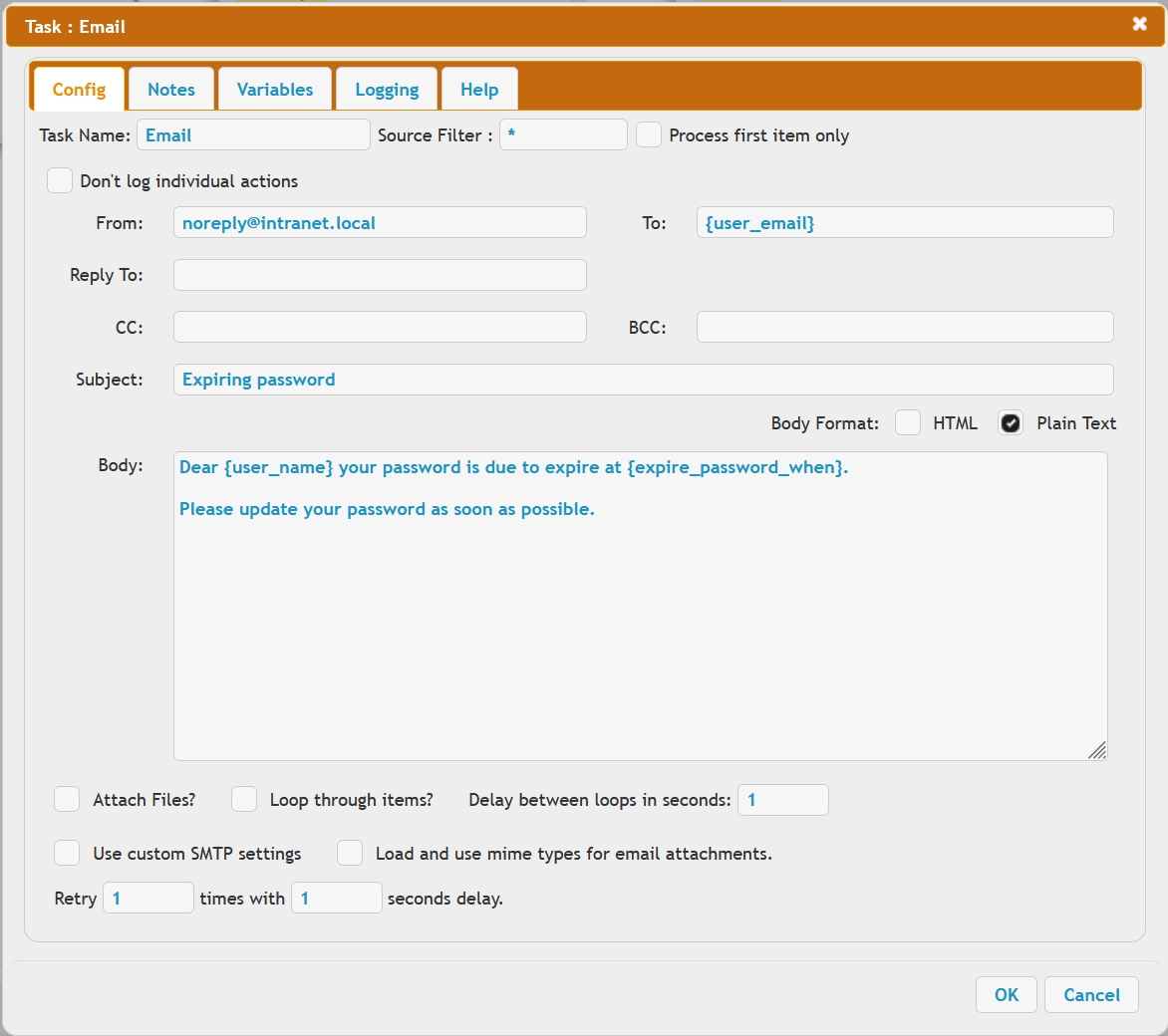
Step5: true, send email, false, do nothing. In the Email task To: field, another user attribute is referenced, the email address designated to the user account, with the {user_email} variable.