CrushTaskExample4#
Import users from *.csv file.#
If you would like to import users from a *.CSV file, you can do it based on the following minimal user setup example.
Note that this option to work requires CrushFTP6.4.0_21 and above.
The WriteFile commands might vary depending on the level of your CSV file complexity. Based on this scenario the Add Before, Add After and Find/Replace should all be entirely empty.

We suggest creating a user as you'd like, and after that edit it's files from the CrushFTP/users/MainUsers/Username folder to see what fields have you selected and set it accordingly based on this example.
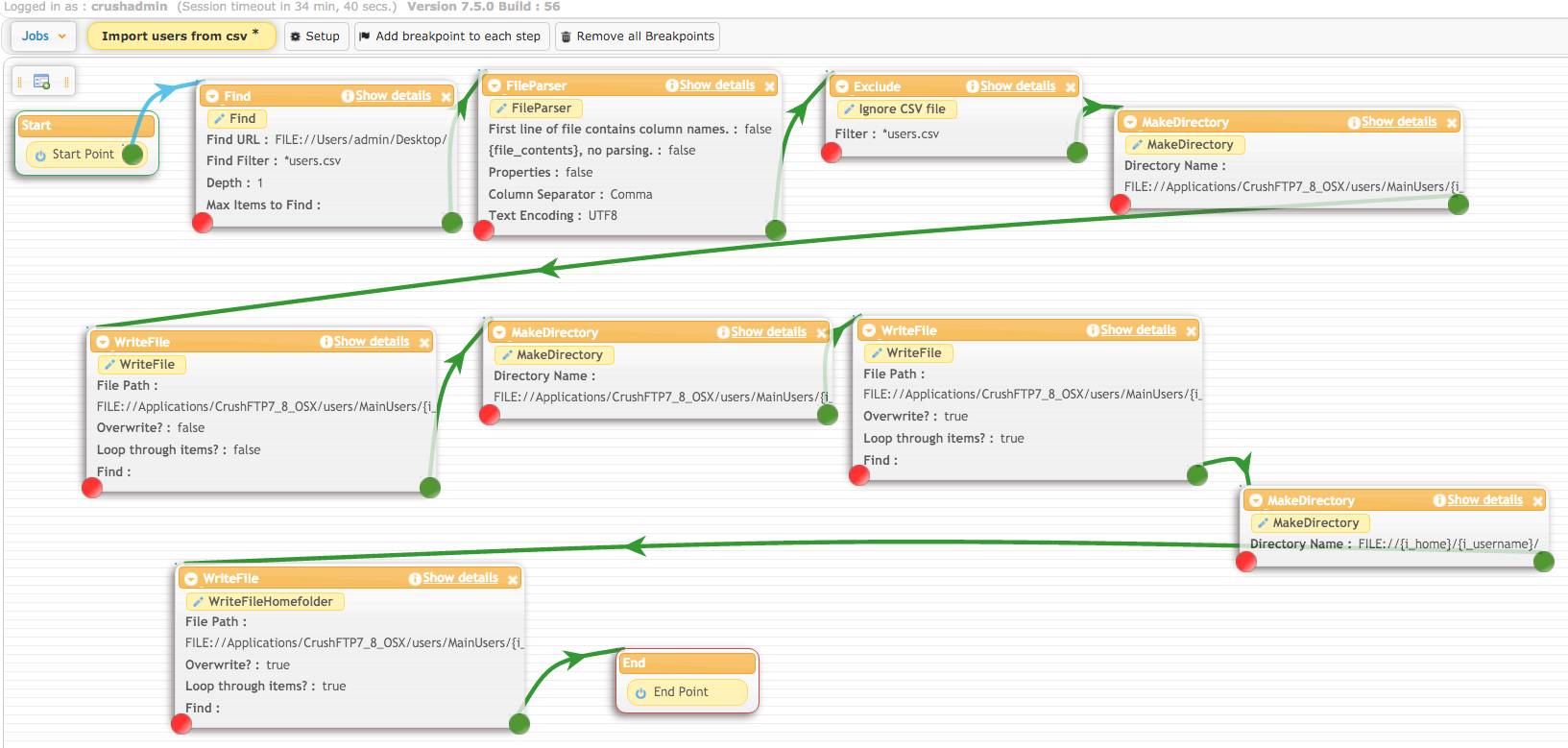
On the First step we search for the .CSV that contains our users.
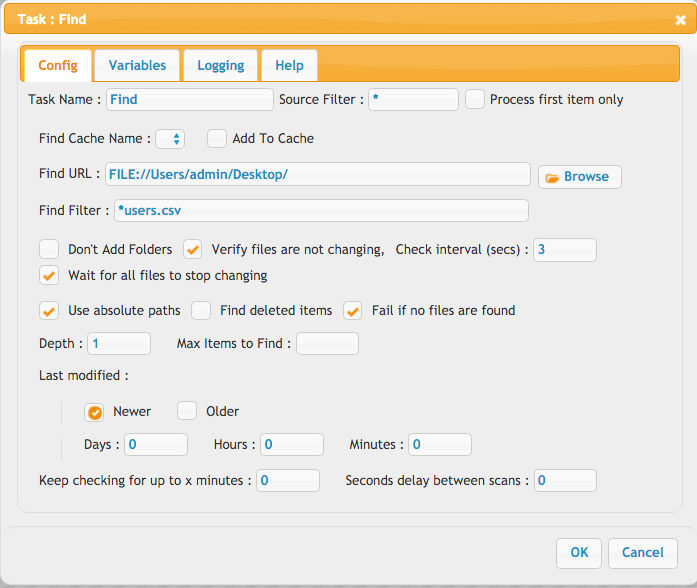
On the second step we enter the values, so that CrushFTP will know what values should use in what order from the given CSV.
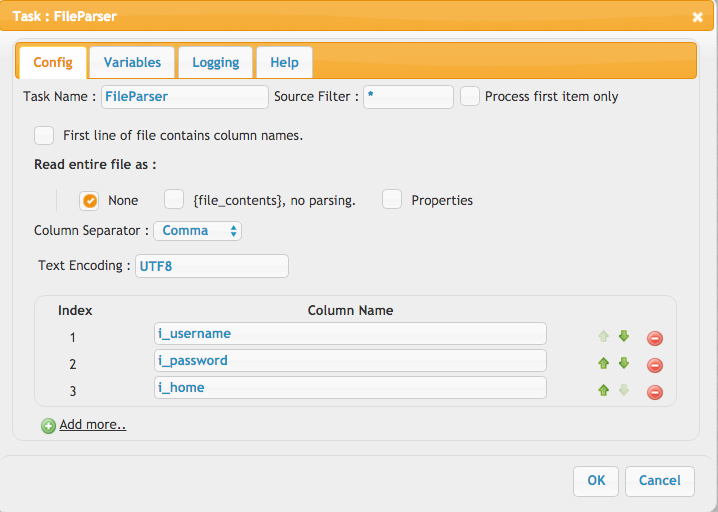
The following step needs to be done so that it ignores the file found on the first step, and uses the items from the CSV.
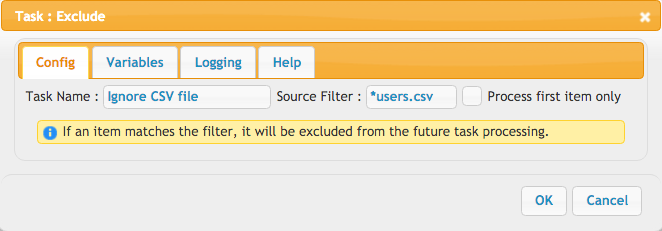
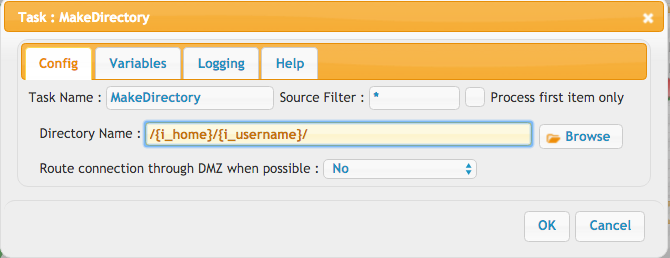
Create the user directory where the user details are stored, and NOT it's actual data.
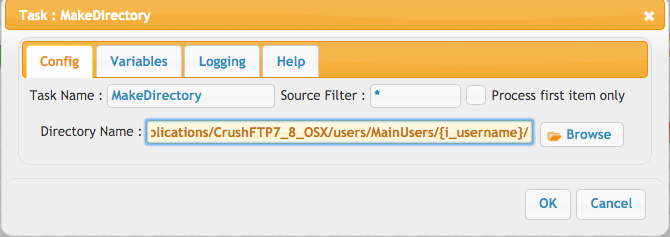
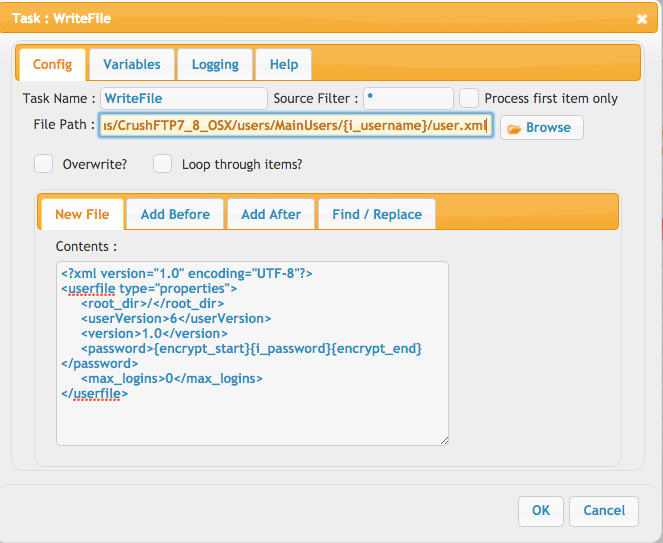
On this step we enter the user frame, and make sure you have the <password>{encrypt_start}{i_password}{encrypt_end}</password> value.
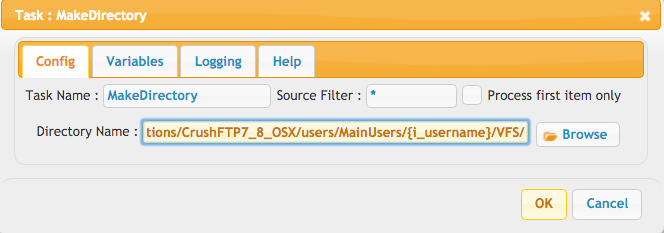
 Make sure you have the VFS folder always in uppercase, this is a base requirement.
Another requairement is to have the username with uppercase in the VFS folder, and after that you will have to set the user permissions on the VFS as:
<item name="/{upper_start}{i_username}{upper_end}/">(read)(write)(view)(delete)(deletedir)(makedir)(rename)(resume)(share)(slideshow)</item> 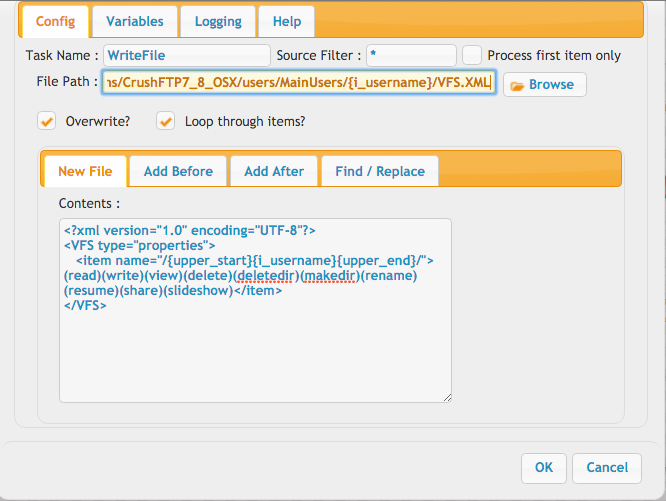

On the next process we use the HomeFolder path from your CSV and add the users folder to it, where the users actual data will be stored.
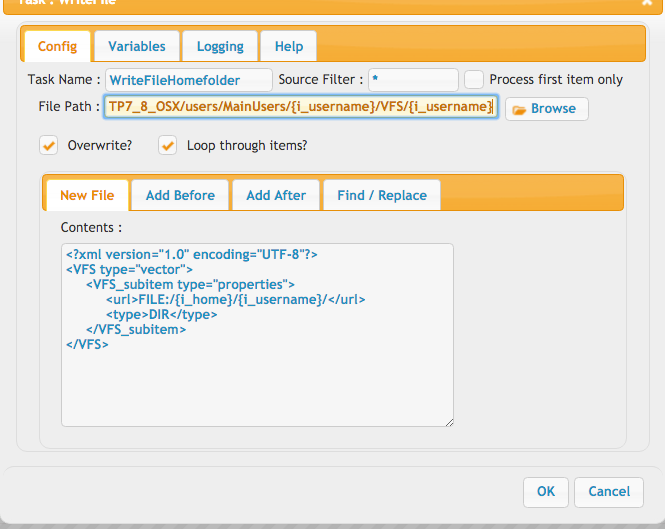
 On the last step we are creating a a VFS item, that is the XML file pointing to a home folder. It just happened to call this the same way as our username.
You can download the job configuration and slightly adjust the paths in it for your needs.