Troubleshooting#
CrushTunnel's window says what went wrong in a plain sentence, and puts the technical message behind it in brackets. Give both to support.
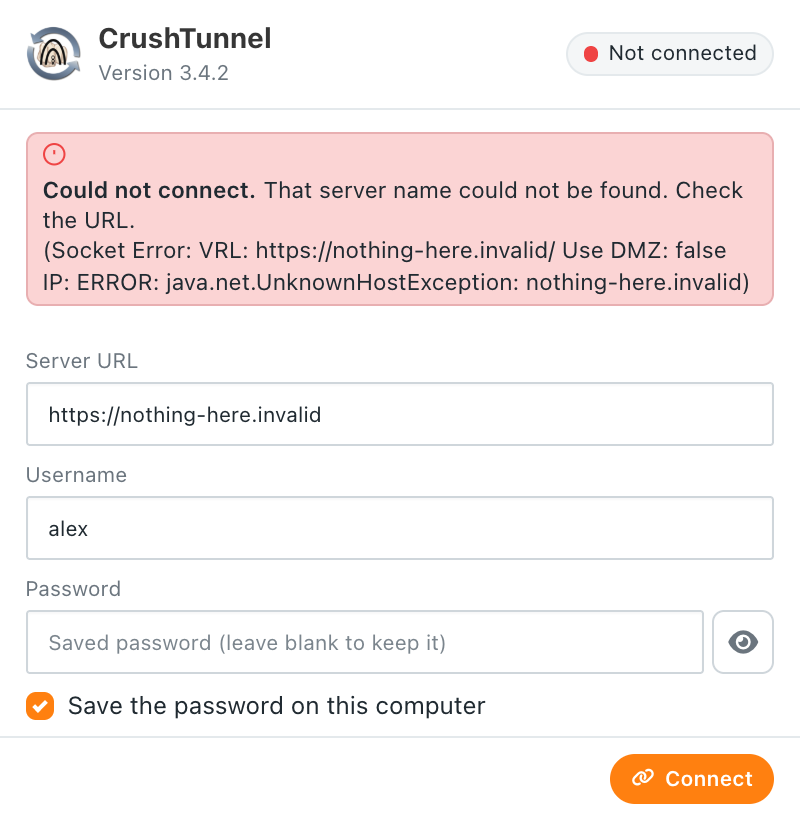
| What you see | What to do |
|---|---|
| "That server name could not be found. Check the URL." | The Server URL is mistyped, or the name cannot be resolved from this computer. |
| It does not connect, and the server is right | Check the username and password by logging in to the server's WebInterface in a browser. |
| Connected, but there is no Local address | Your user has no tunnel on the server. Ask the administrator to grant one (Server setup). |
| The local address does not answer | Another program may already use the port. Quit it, then disconnect and connect again. |
| CrushTunnel does not start, or quits at once | CrushSync is running. The two cannot run at the same time. |
| It does not connect by itself at start | Connect when CrushTunnel starts needs Save the password on this computer as well. |
| A certificate error | The server's certificate is not valid for the name in the Server URL. Use the name the certificate was made for. |
| No speed gain | The tunnel helps on links with high latency. On a nearby server there is nothing to gain. Otherwise ask the administrator to raise the channels (Server setup). |
| Windows: the window is gone | Right-click the icon › Reset window position. |
| Windows: the icon is missing | It may be behind the ^ arrow of the notification area. |
Files for support#
CrushTunnel.logandoutput.logfrom the settings folder (Updates and files);- the version from the top of the window or the tray menu.