Server setup#
Tunnels are made on the CrushMFT server, by its administrator, in three steps: define the tunnel, add two internal ports, and give users the tunnel. The pictures are from CrushFTP 11; the full pages are Tunnels, High Speed File Transfer and User Manager › Tunnels in the CrushFTP documentation.
Tunnels with more than one channel need an Enterprise license.
1. Define the tunnel#
Preferences › Tunnels › create a tunnel:
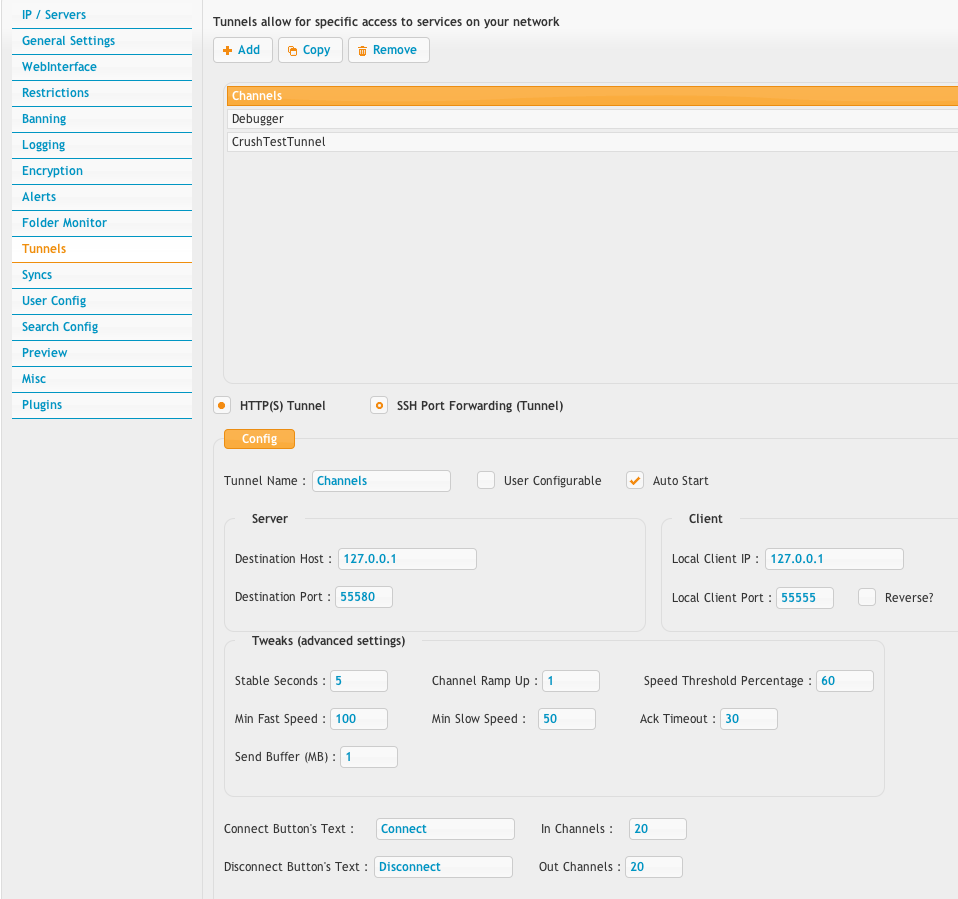
| Setting | Value |
|---|---|
| Type | HTTP(S) Tunnel |
| Auto start | on |
| Name | anything simple |
| Local client port | 55555 (five fives). This is the port that opens on the user's computer. |
| Destination host | 127.0.0.1 |
| Destination port | anything; it is not used for this setup |
| Channels in and out | the multiplier. Minimum 1, maximum between 10 and 20, with Auto on for both. |
Choosing the channels. Each channel is one connection's worth of speed. If one connection gets 3 Mbit to your server and the line can do 50, a maximum of 17 fills the line. More does no harm and no good: the line is the limit. Use the smallest value that gives you the speed you need.
For orientation, one connection typically reaches about 6 Mbit from California to New York, about 4 Mbit from Europe to the US east coast, and about 2 Mbit from Australia to the US east coast.
2. Add the two internal ports#
Preferences › IP / Servers › add two ports. The tunnel delivers its traffic to them on the server.
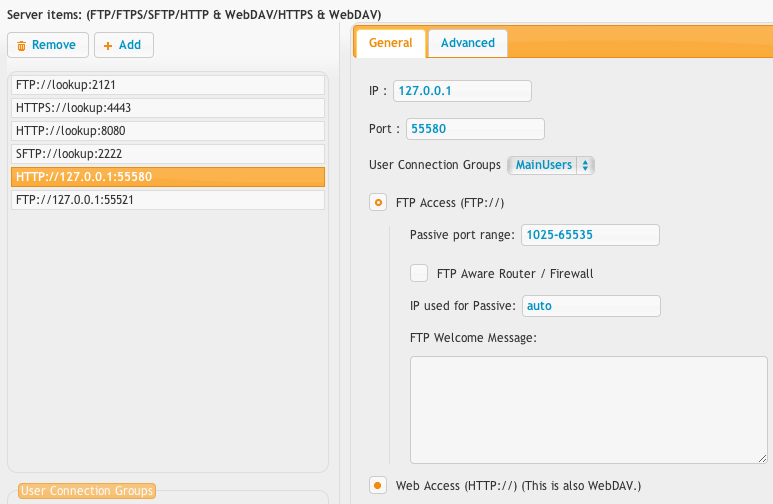
| Port | Protocol | IP |
|---|---|---|
| 55521 | FTP | 127.0.0.1 |
| 55580 | HTTP | 127.0.0.1 |
Set User Connection Group on both to the same value as your main HTTPS port. The ports, protocols and the address must be exactly these.
3. Give users the tunnel#
User Manager › the user › Tunnels: grant the tunnel.
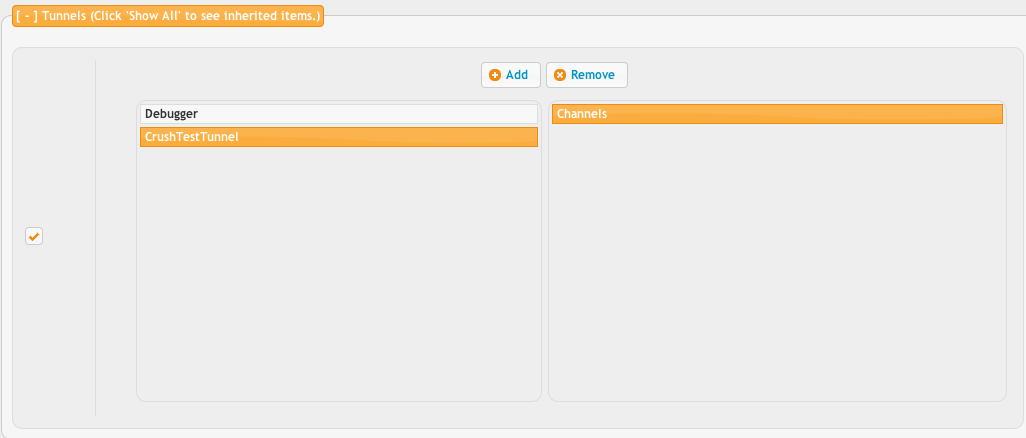
From now on that user gets the accelerated speed in the WebInterface, and can connect with the CrushTunnel app.
Tunnels into your network#
A tunnel can also lead to another address and port inside your network instead of the server itself: set the destination host and port to that service. The user then reaches exactly that service through their local port, and nothing else. See Tunnels and SSH Tunnel.
What it costs the server#
A tunnel is heavy on the CPU (the HTTPS encryption and putting the channels together) and light on the disk (only logging).