Advanced settings#
Advanced in CrushMFTDrive's window opens four settings. They apply the next time the drive connects.
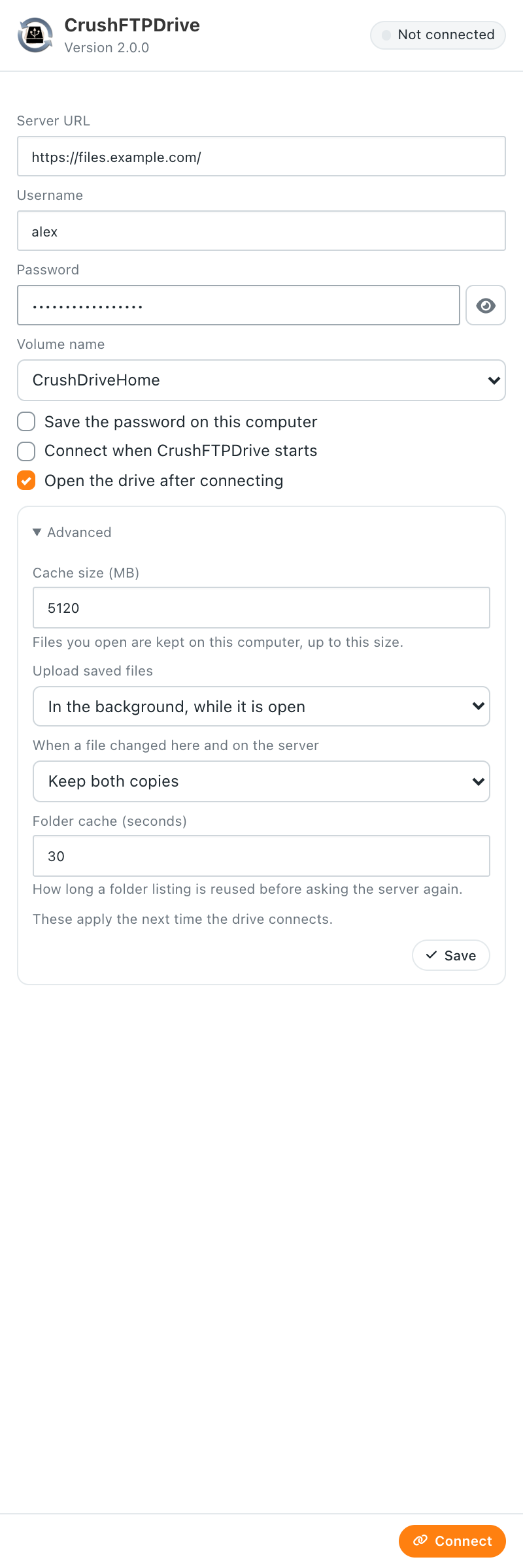
| Setting | Choices | What it does |
|---|---|---|
| Cache size (MB) | 5120 to start with | Files you open are kept on this computer, up to this size. When it is full, the files unused for longest are dropped. Files still waiting to upload are never dropped. |
| Upload saved files | In the background, while it is open (default); When the file is closed (slower) | In the background, saving is instant and the upload follows. With the second choice, closing a file waits for the upload, so the program learns at once if it failed. |
| When a file changed here and on the server | Keep both copies (default); Overwrite the server's copy | Keep both uploads yours under a name with "(conflict date time)". Overwrite replaces the server's version with yours. |
| Folder cache (seconds) | 30 | How long a folder listing is reused before asking the server again. Lower shows other people's changes sooner; higher saves requests. |
Press Save.
All settings#
The window shows the four above. The drive has more, for special cases, in its prefs.XML (Updates and files). Add a line inside the <prefs> element while CrushMFTDrive is not running, for example <drive_uploads>4</drive_uploads>.
| Key | Default | Meaning |
|---|---|---|
drive_cache_mb |
5120 | the cache size limit, in MB |
drive_cache_path |
the cache folder in the settings folder |
where the cache is kept; point it at a larger disk if needed |
drive_meta_ttl |
30 | seconds a folder listing is trusted |
drive_chunk_mb |
4 | the size of the pieces a file is fetched in |
drive_readahead |
2 | pieces fetched ahead when a file is read from start to end |
drive_upload_mode |
background |
or on_close |
drive_upload_delay |
2 | seconds a closed file waits before it uploads |
drive_atomic_upload |
false | true uploads under a hidden temporary name and renames it over the target when complete |
drive_conflict |
keep_both |
or overwrite |
drive_downloads / drive_uploads |
4 / 2 | transfers at the same time |
drive_timeout |
30 | seconds to wait for the server on a listing or similar request |
drive_nfc |
true | store accented names the same way from every system |
drive_local_only_names |
empty | more names, separated by commas, to keep on this computer only |
drive_mac_backend |
empty | fskit uses macFUSE 5's FSKit mode on macOS 26, which needs no kernel extension |
drive_mount_path |
empty | Linux: the folder to mount on, instead of ~/CrushMFTDrive/<name> |
The keys the window writes: base_url, drive_username, drive_password (encrypted), drive_letter (the letter or volume name), drive_auto (connect at start), drive_auto_open, save_password.
About uploading under a temporary name#
By default a file is uploaded straight to its final name. Events and rules on your CrushMFT server that react to uploaded file names then see the real name. With drive_atomic_upload set to true, a half-uploaded file is never visible under its final name, but server events fire on the temporary name first.