# Monitoring Jobs
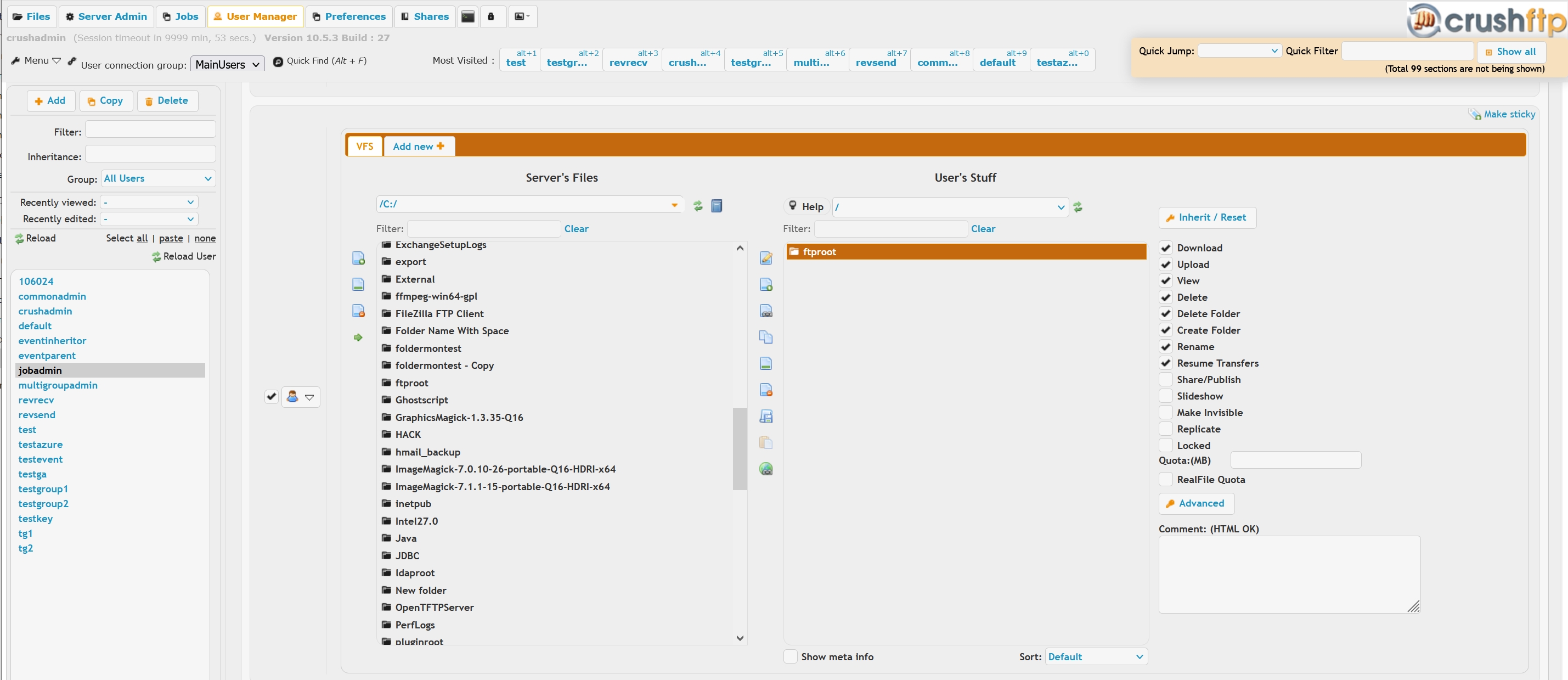
This **[Limited Admin](UserManagerAdminLimited.md)** scenario allows a user to be able to run a preconfigured **[Job](Jobs.md)**, or both run and edit it. In this case latter, the account's VFS has to point to the top level directory the job operates on, or the **Allow viewing of server files, including the server log, job logs, and any other file on the server...** role permission granted. First need to set up the user account with the proper VFS permissions:
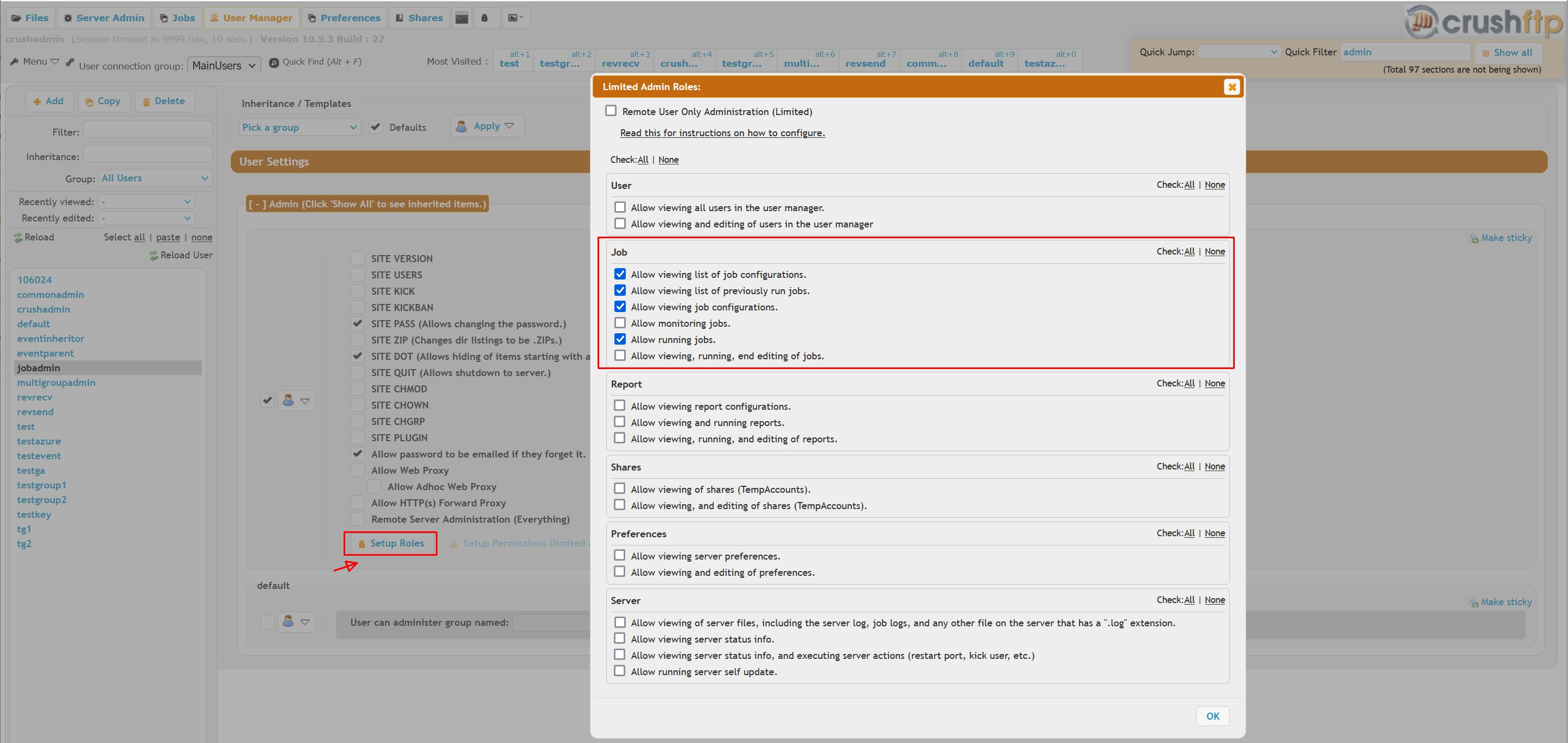
 Then grant the job admin roles:
 Then add the user name to the **Users allowed to monitor** list on the Job's **Setup** page.
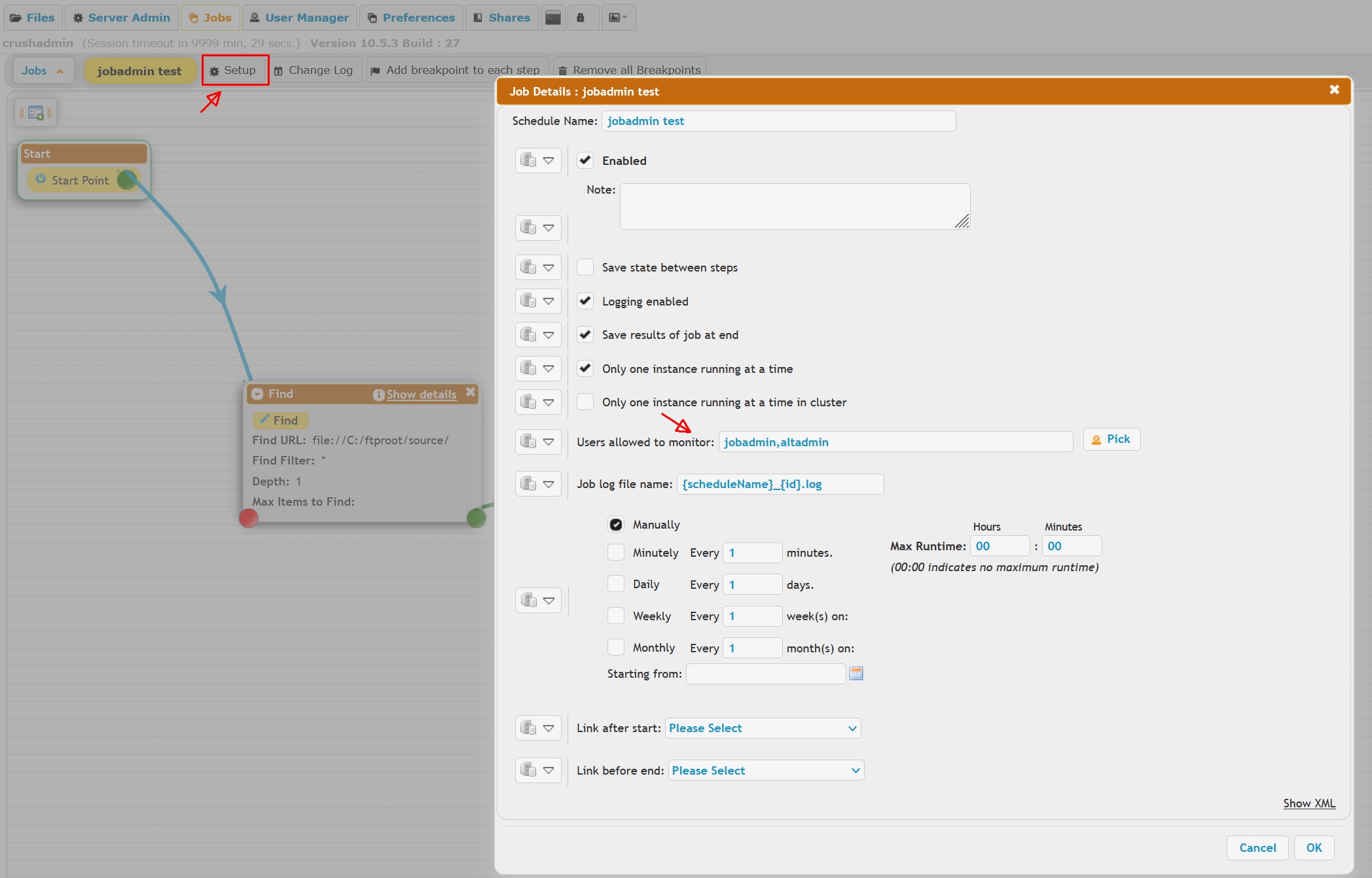 Such a limited admin account will only be able to see, and if the role permissions allow, edit the jobs designated to him.