# Groups
**CrushFTP-specific terms used in this wiki, and related:**
**Groups**\
a logical way to organize user accounts, our term for an Organizational Unit equivalent.
**Inheritance**\
a way to automatically apply user settings from one user to another. The term roots in object oriented programming, there is a separate **[wiki](Inheritance.md)** on this
**Group Template account**\
inheritance parent or archtype account, that parents inheritance for a group of user accounts
**VFS Linking**\
loosely related to inheritance, a pointer to a VFS directory of another user account, there is a separate **[wiki](VFS.md)** on this
---
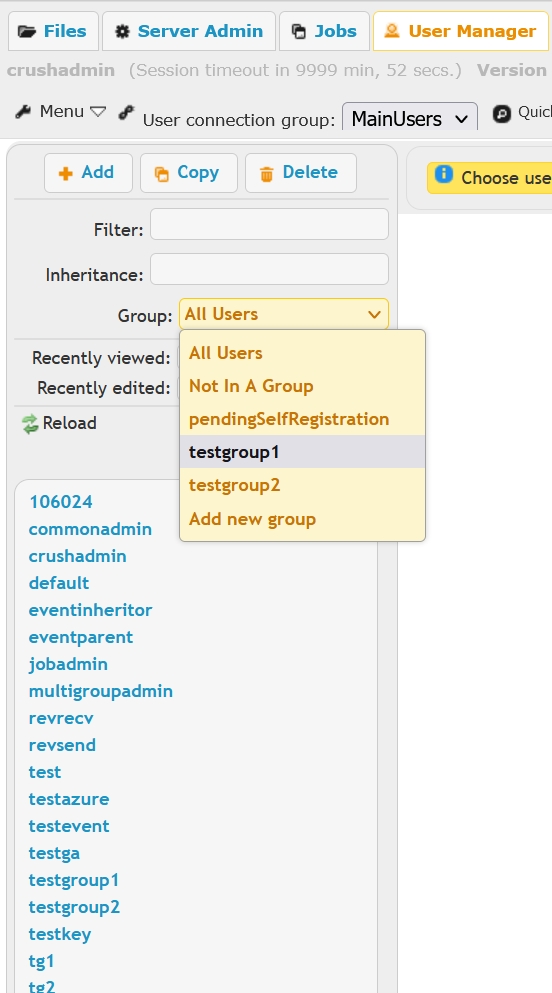
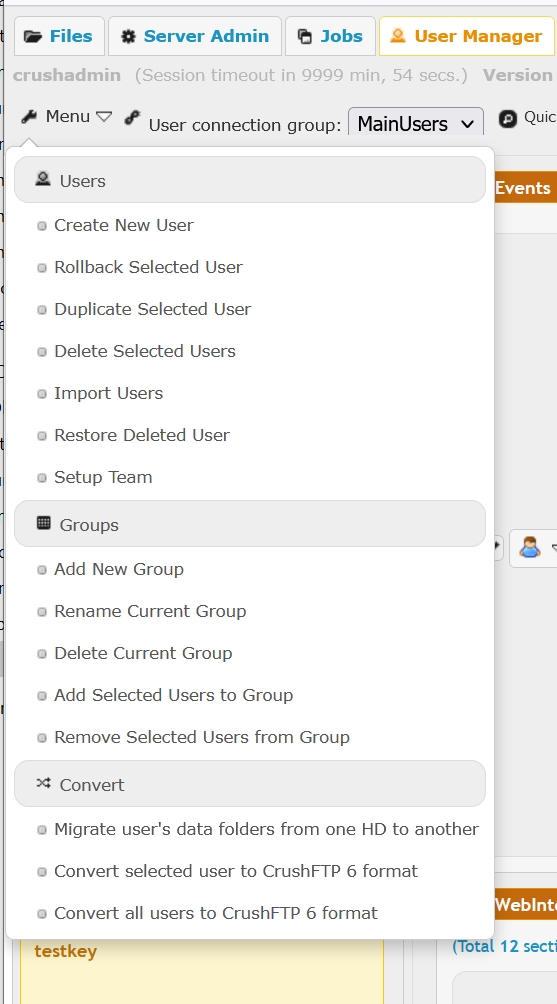
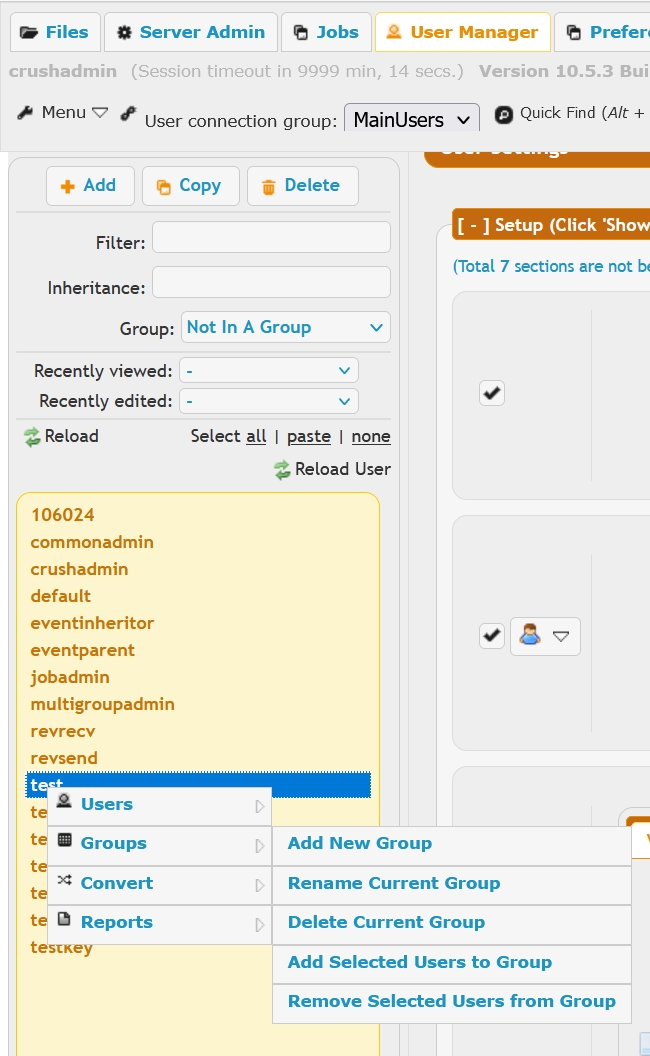
**Groups** in **[User Manager](User-Manager.md)** are a way to organize users into different lists. Can manage groups from either the **[Menu](UserManagerMenu.md)** toolset, the **Group** list or right click on a user account, choose some group related item from the context menu.
### Group List
 ### Menu
 ### Context Menu
 A group by itself does not imply any inheritance of settings. So a typical group will just organize users into a list, but there are no inheritance settings.
If you want groups and inheritance to work together, then you need to make a user who has the same name as the group, but not member of the group; we call this the **Group Template** account. Be careful to keep the case on the username and group name the same.
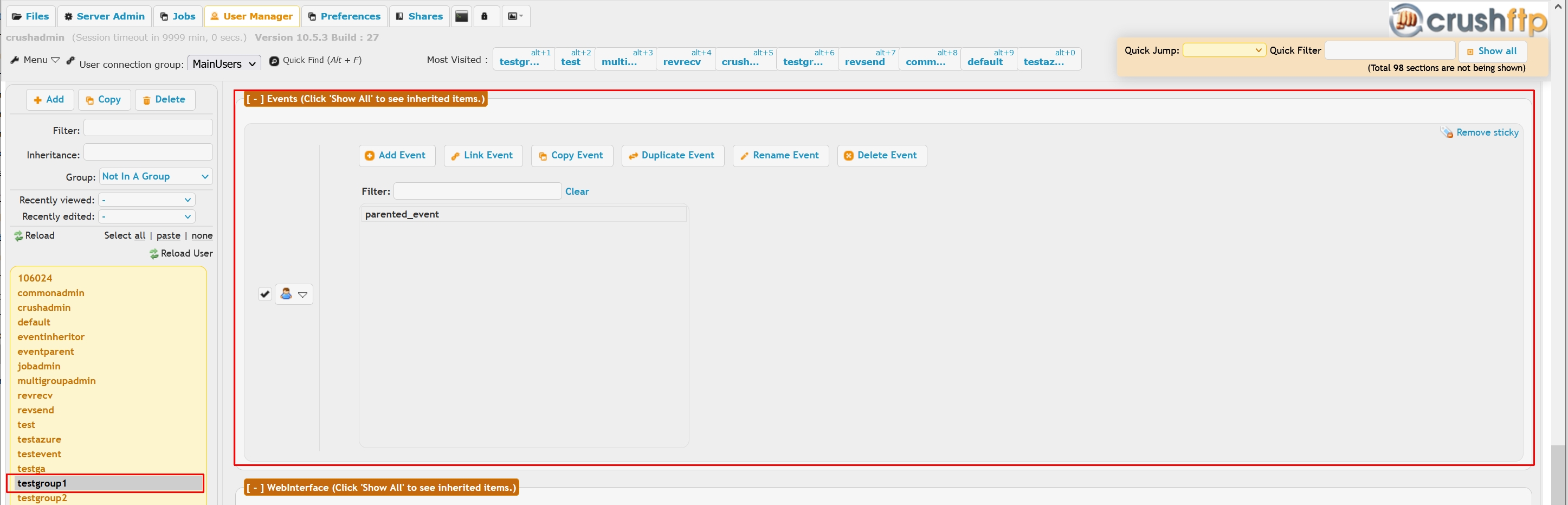
For example, if you make a user name **"testgroup1"**, and make a group named **"testgroup1"** as well, when you add users to this group, they will also be set to inherit settings from the user **"testgroup1"**. So it does both.
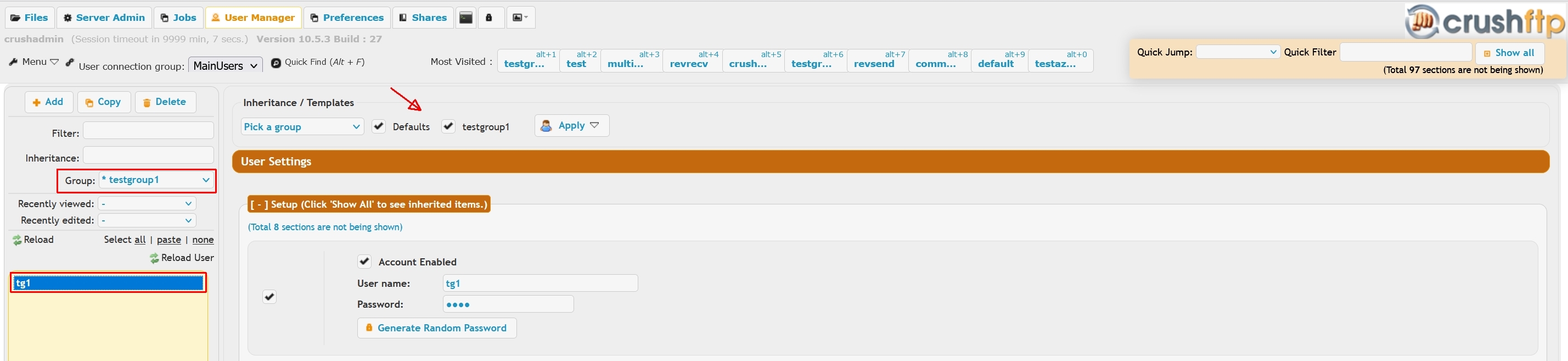 Please note how the Group Template account name appears in the **Inheritance/Templates** list now. But if the user **"testgroup1"** did not exist, its only a list of users with no inheritance.
Using this you could configure events on the user **"testgroup1"**,
 and then everyone you add into the group would get these settings. Please note how the inherited Event shows up as grayed out, in the **inheritor** user account's Events settings.
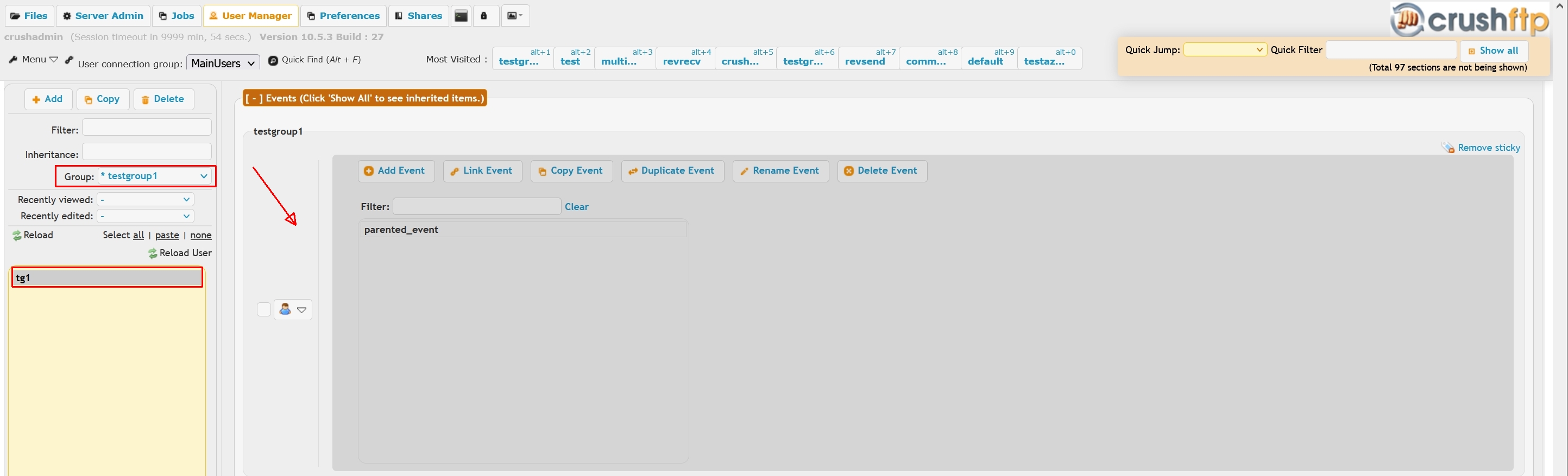 Modifying any inheritable settings on the Group Template user will automatically reflect on the inheritor ( group member) users. This makes bulk changes on multiple user accounts easy, by only editing settings in one place.