# CrushTaskExample18
## Renew Azure SAS token via Azure User impersonation
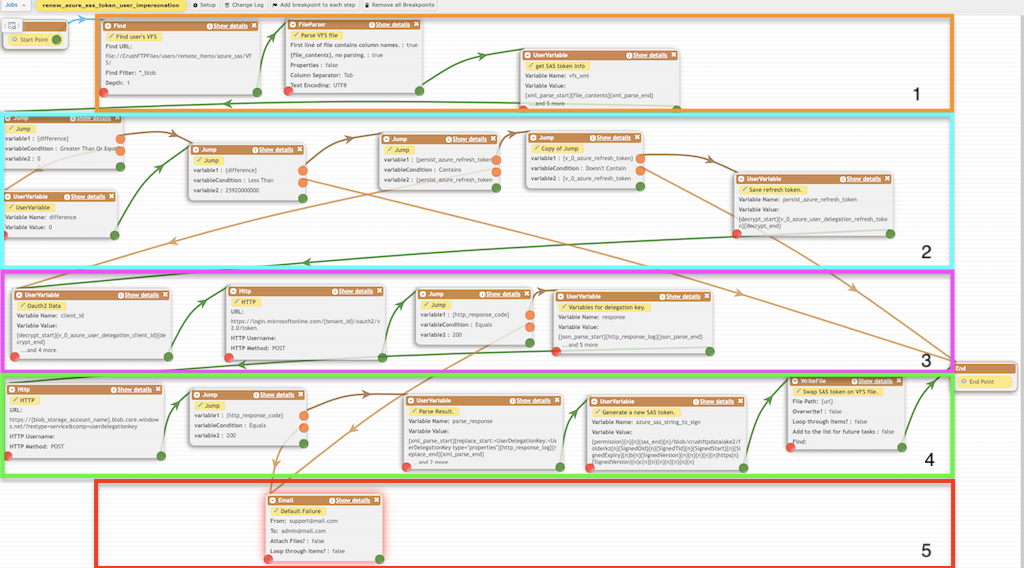
This example demonstrates using the Azure Delegation settings to renew an **Azure SAS** token configured on a user at [User Manager](User-Manager.md). For more info see: Authorize access to blobs using **Microsoft Entra ID** Link: [Authorize access to blobs using Microsoft Entra ID Link](https://learn.microsoft.com/en-us/azure/storage/blobs/authorize-access-azure-active-directory)\
The job is eligible for daily scheduling.
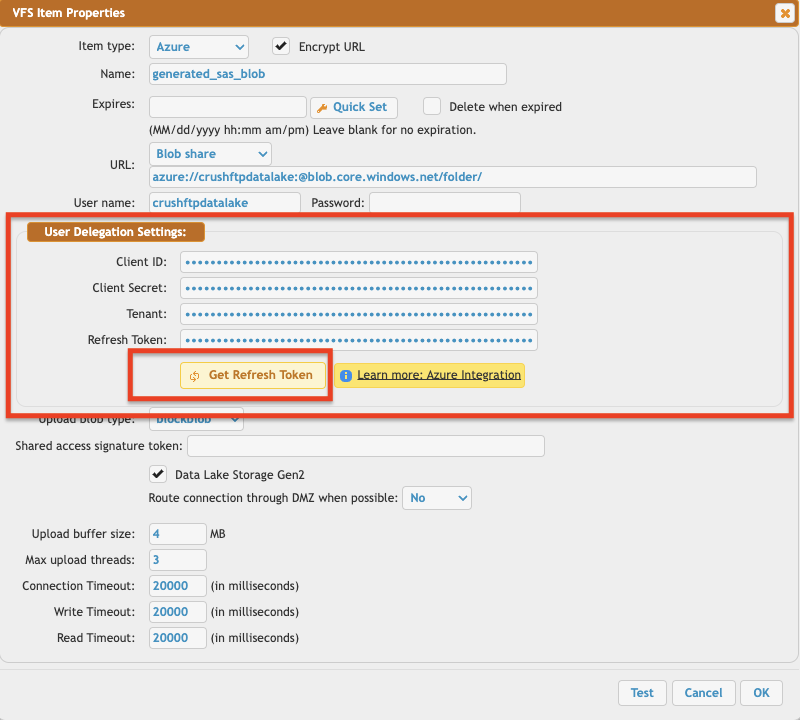
User's Azure Blob VFS with user delegation settings (for more info see: [Azure Integration](Azure-Integration.md)):
### Section 1.
It loads the user's VFS file, parses it, and retrieves the previous SAS token expiry date.
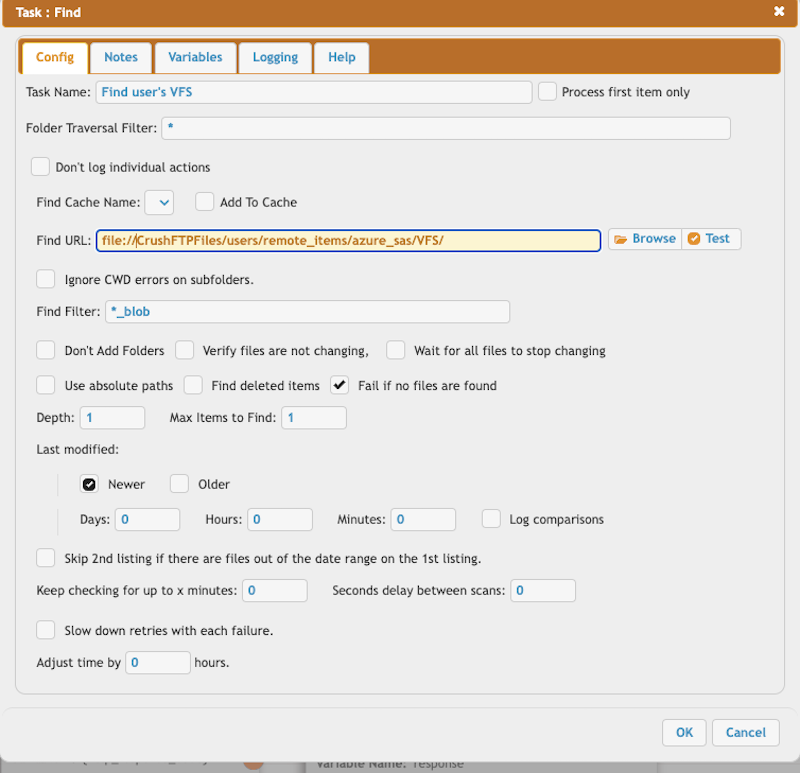
**⚠️ Configure** your user's VFS path at the Find task.
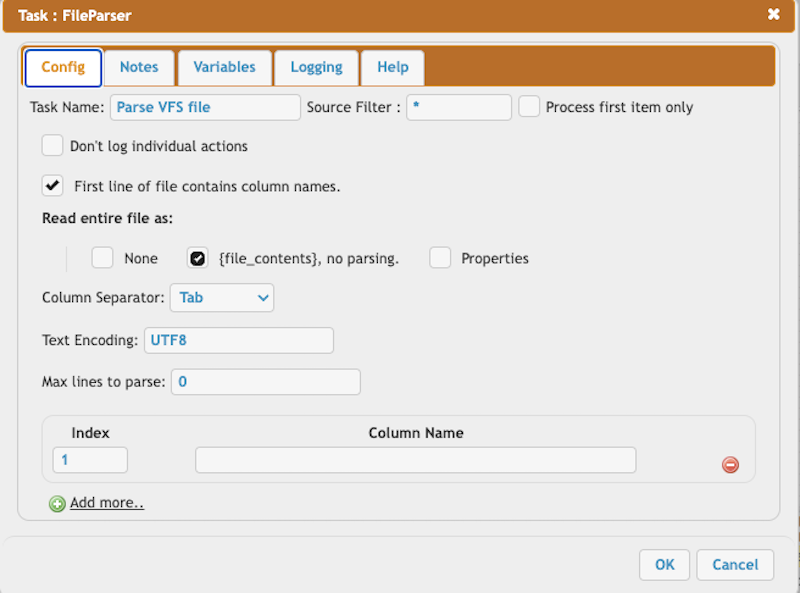
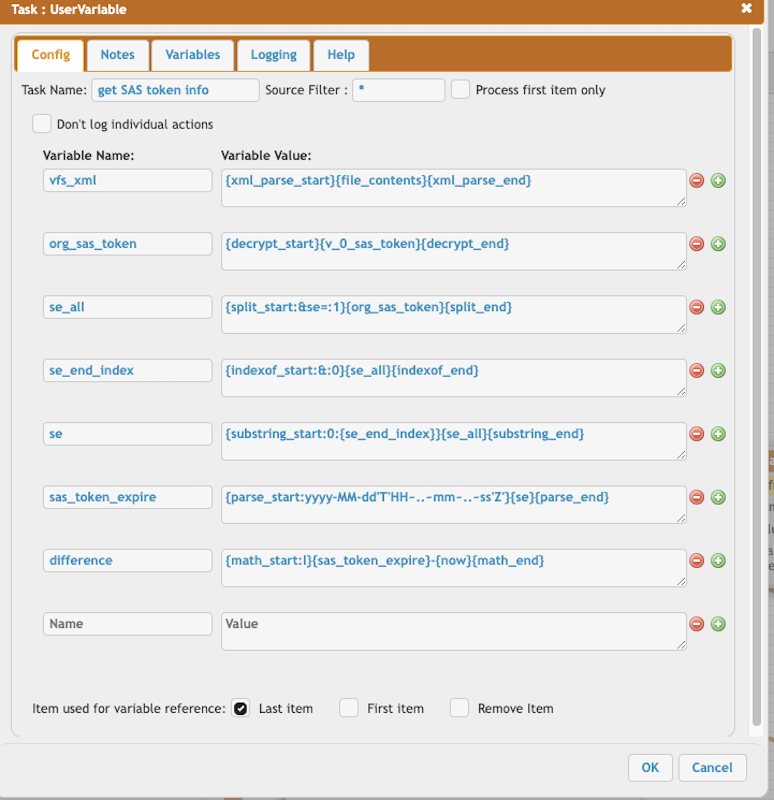
Parse the VFS XML file to retrieve the Azure SAS token expiration.
```
vfs_xml = {xml_parse_start}{file_contents}{xml_parse_end}
org_sas_token = {decrypt_start}{v_0_sas_token}{decrypt_end}
se_all = {split_start:&se=:1}{org_sas_token}{split_end}
se_end_index = {indexof_start:&:0}{se_all}{indexof_end}
se = {substring_start:0:{se_end_index}}{se_all}{substring_end}
sas_token_expire = {parse_start:yyyy-MM-dd'T'HH~..~mm~..~ss'Z'}{se}{parse_end}
difference = {math_start:l}{sas_token_expire}-{now}{math_end}
```
### Section 2.
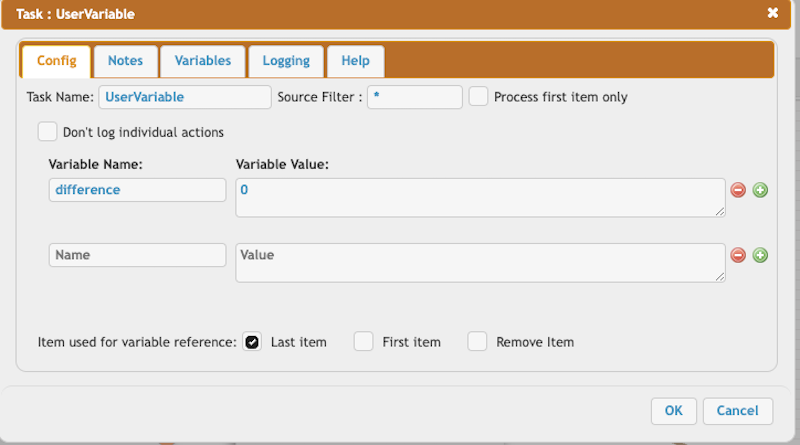
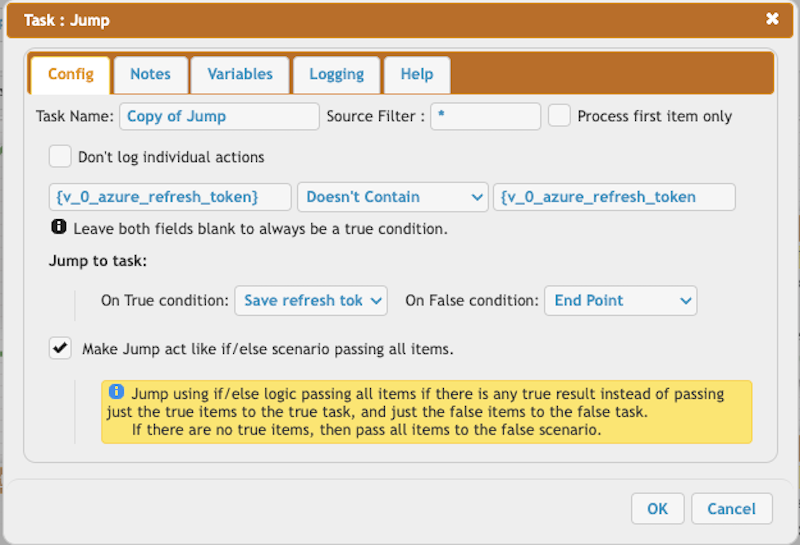
Verify the expiration of the SAS token and store the refresh token. The refresh token must be saved each time and stored as a persistent variable.
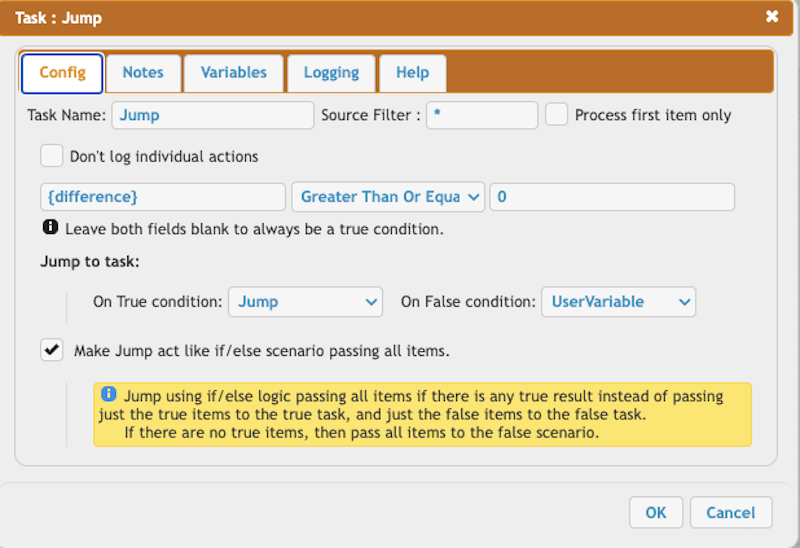
Set the difference to zero if it is less than zero.
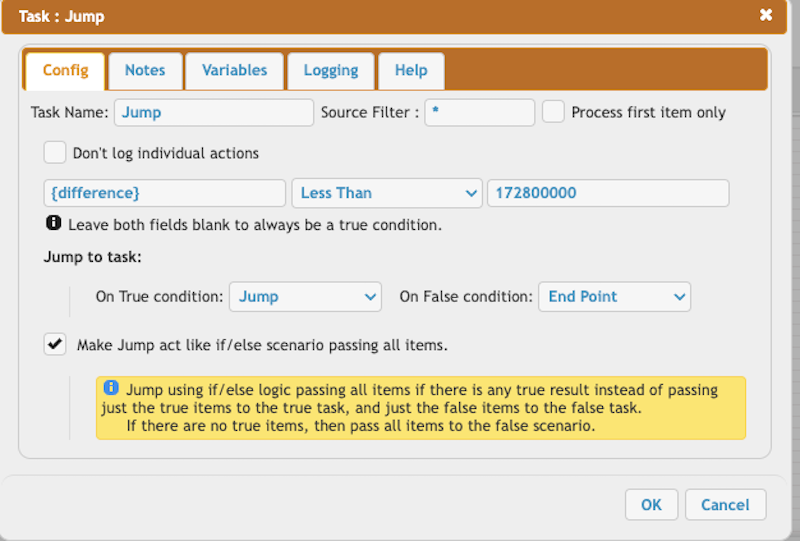
Verify if the difference is less than two days.
Determine whether the persistent variable is present. On the first run, it will not exist.
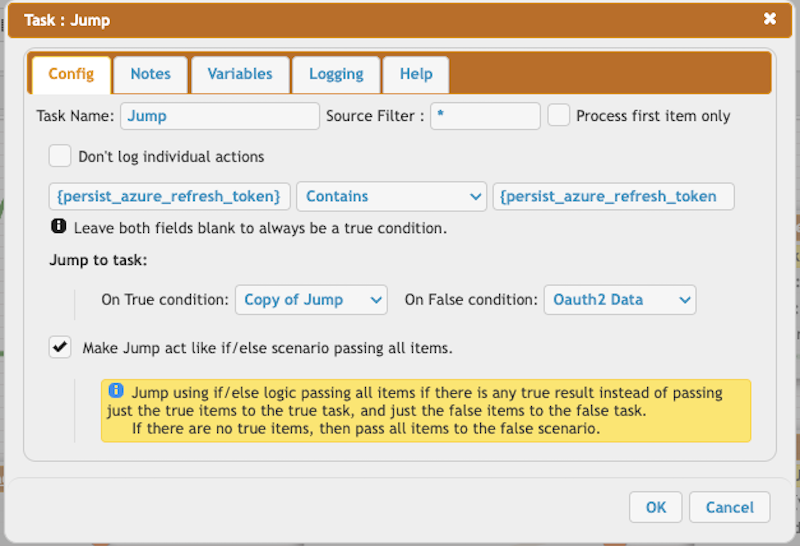
Check for the presence of the persistent variable.
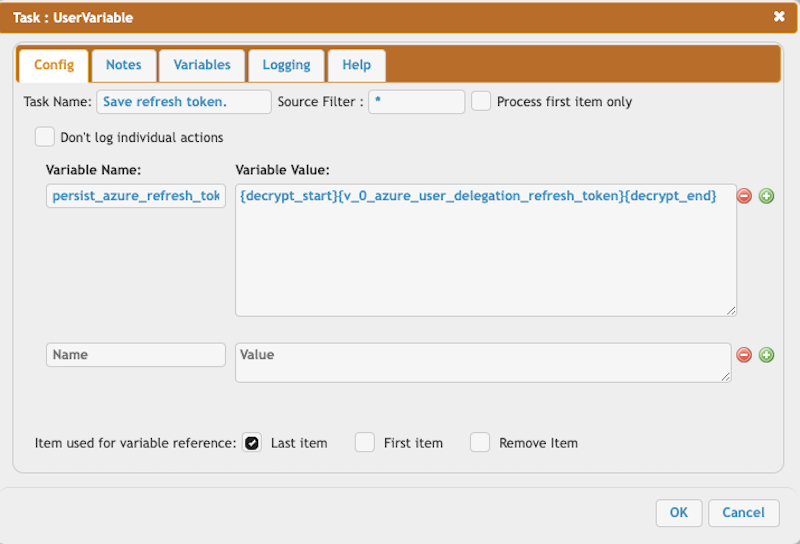
Persist the Azure's refresh token.
```
persist_azure_refresh_token = {decrypt_start}{v_0_azure_user_delegation_refresh_token}{decrypt_end}
```
### Section 3.
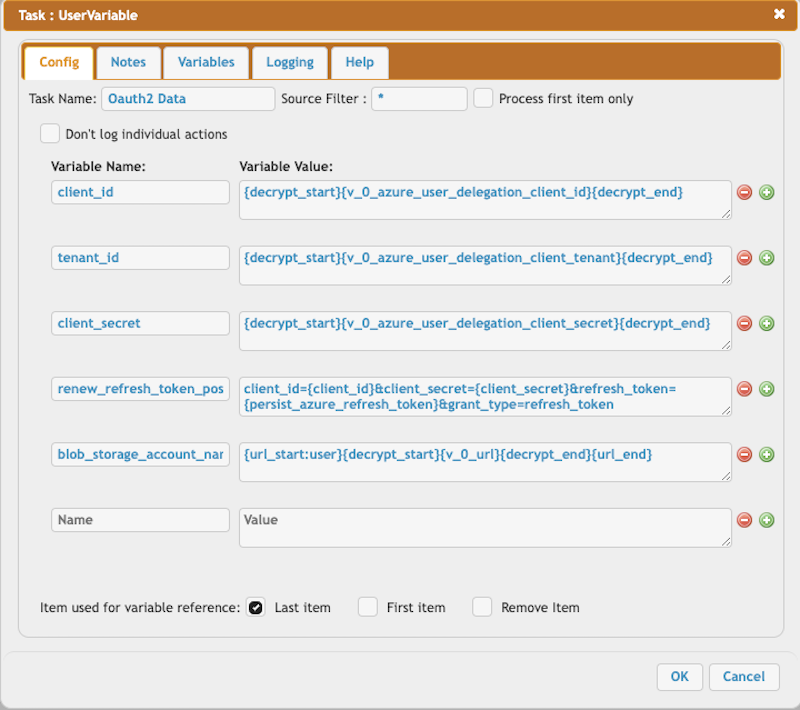
This section retrieves the Access Token using the Azure Refresh Token to obtain the user delegation key.
Construct the request body of the HTTP call.
```
client_id = {decrypt_start}{v_0_azure_user_delegation_client_id}{decrypt_end}
tenant_id = {decrypt_start}{v_0_azure_user_delegation_client_tenant}{decrypt_end}
client_secret = {decrypt_start}{v_0_azure_user_delegation_client_secret}{decrypt_end}
renew_refresh_token_post_data = client_id={client_id}&client_secret={client_secret}&refresh_token={persist_azure_refresh_token}&grant_type=refresh_token
blob_storage_account_name = {url_start:user}{decrypt_start}{v_0_url}{decrypt_end}{url_end}
```
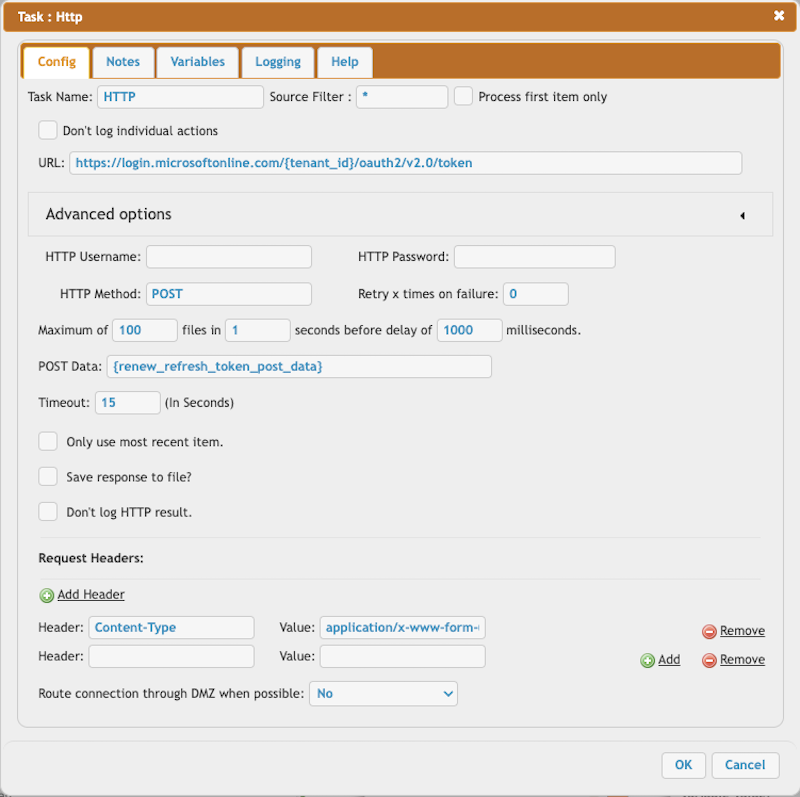
Retrieve the Access Token through the HTTP Task.
```
URL = https://login.microsoftonline.com/{tenant_id}/oauth2/v2.0/token
POST Data = {renew_refresh_token_post_data}
Content-Type = application/x-www-form-urlencoded
```
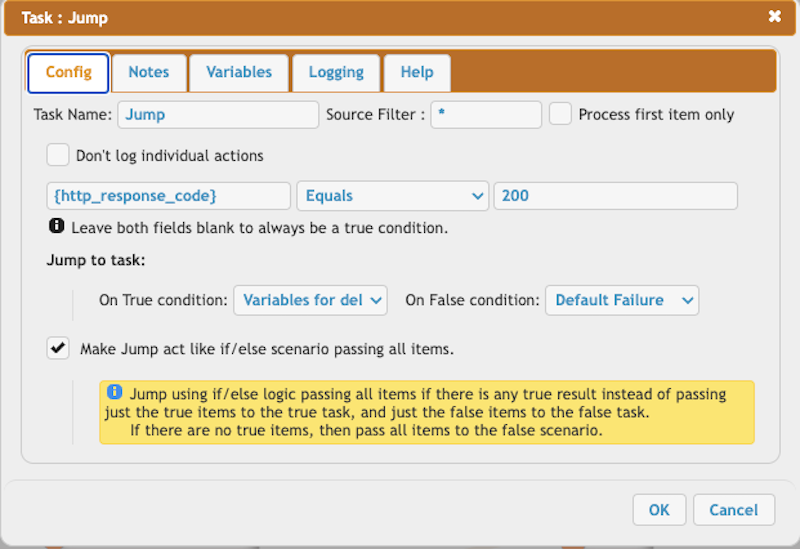
Verify the HTTP response.
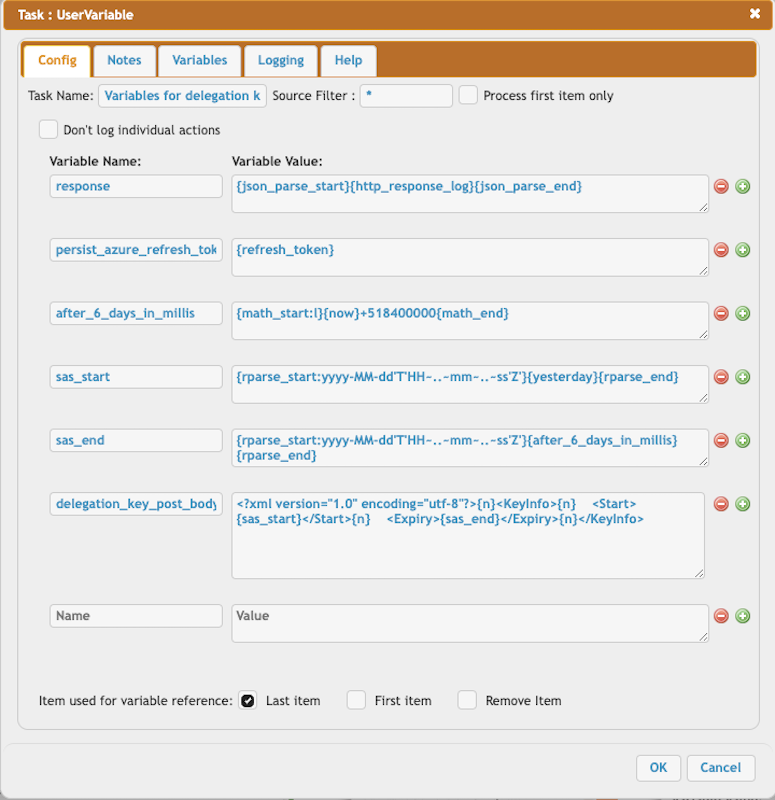
Parse the HTTP response and build the request body for the HTTP call to get the delegation key. **!!! We must store the new refresh token to maintain offline access.**
```
response = {json_parse_start}{http_response_log}{json_parse_end}
persist_azure_refresh_token = {refresh_token}
after_6_days_in_millis = {math_start:l}{now}+518400000{math_end}
sas_start = {rparse_start:yyyy-MM-dd'T'HH~..~mm~..~ss'Z'}{yesterday}{rparse_end}
sas_end = {rparse_start:yyyy-MM-dd'T'HH~..~mm~..~ss'Z'}{after_6_days_in_millis}{rparse_end}
delegation_key_post_body = {n}{n} {sas_start}{n} {sas_end}{n}
```
### Section 4.
This section retrieves the user delegation key, constructs a new Azure SAS token, and replaces the old value with the new value in the user's VFS file.
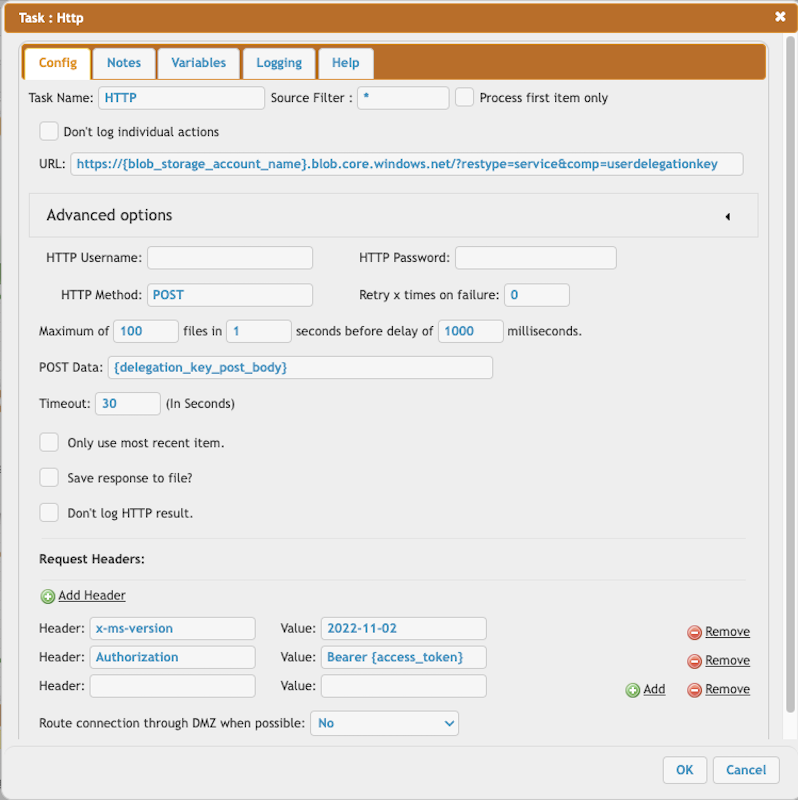
HTTP call to obtain the user delegation key:
```
URL = https://{blob_storage_account_name}.blob.core.windows.net/?restype=service&comp=userdelegationkey
Post Data = {delegation_key_post_body}
Headers:
x-ms-version = 2022-11-02
Authorization = Bearer {access_token}
```
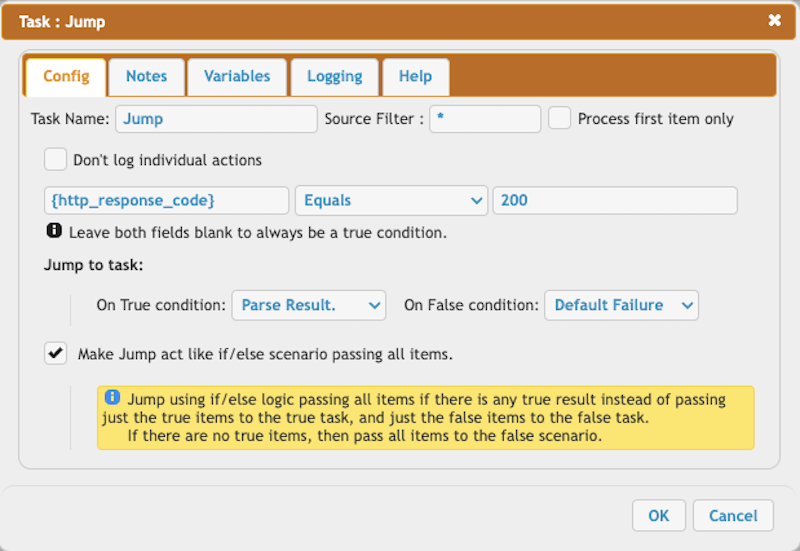
Parse the response of the Azure User Delegation HTTP call. The response XML lacks the 'properties' type, so we include it for proper XML file parsing.
```
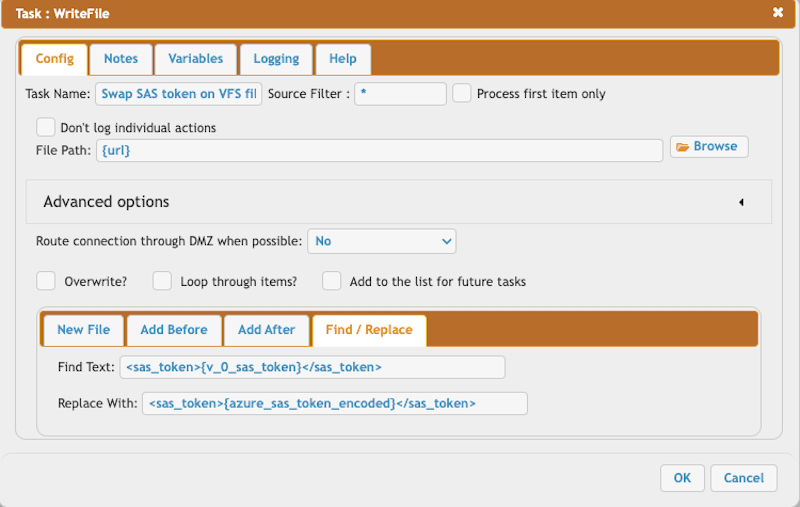
parse_response = {xml_parse_start}{replace_start:{v_0_sas_token}
Replace With = {azure_sas_token_encoded}
```
### Section 5.
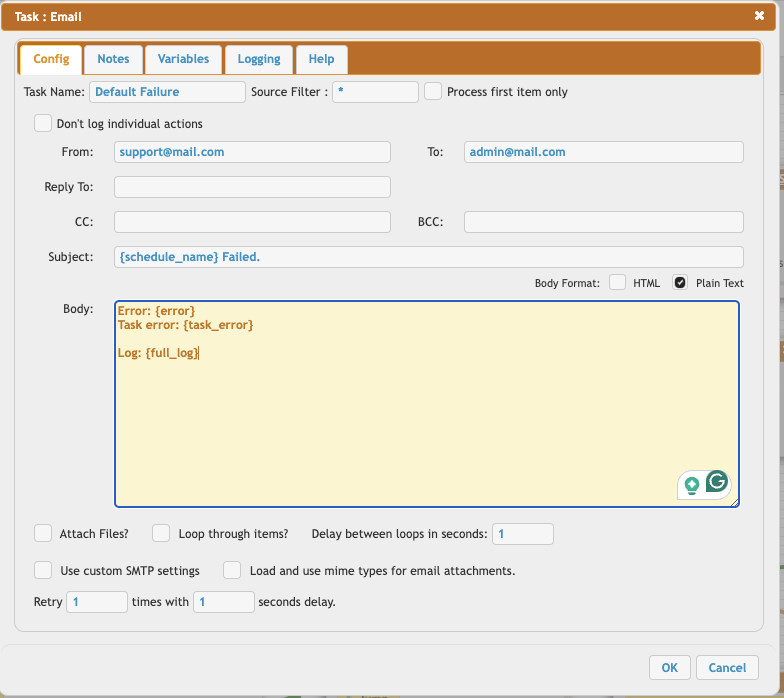
This section covers the error handling using the Default Failure Task (see at [Handling Job Failures](Handling-Job-Failures.md)).\
Sample job.XML can be downloaded here: [attachments](CrushTaskExample18/job.xml)