# UserManagerAdminRestricted
**CrushFTP-specific terms used in this wiki, and related:**
**Groups**\
a logical way to organize user accounts, our term for an Organizational Unit equivalent. There is a separate **[wiki](Groups.md)** on this
**Inheritance**\
a way to automatically apply user settings from one user to another. The term roots in object oriented programming. There is a separate **[wiki](Inheritance.md)** on this
**Group Template account**\
inheritance parent or archtype account, that parents inheritance for a group of user accounts
**VFS Linking**\
loosely related to inheritance, a pointer to a VFS directory of another user account, there is a separate **[wiki](VFS.md)** on this
---
An administrator can can delegate administration allowing a limited administrator to create and manage users in their group, and assign folders that they themselves have access to. We'd call this administrator a **Restricted Admin** account.
First need to create a user **[Group](Groups.md)** with the corresponding **Group Template** account. This latter is to be assigned some top level **VFS** directory under which the group member users will have their own working directories later on. The same VFS is to be granted to the Restricted Admin, these two settings together will confine both the admin and the group members under that directory, with no escalation possible.
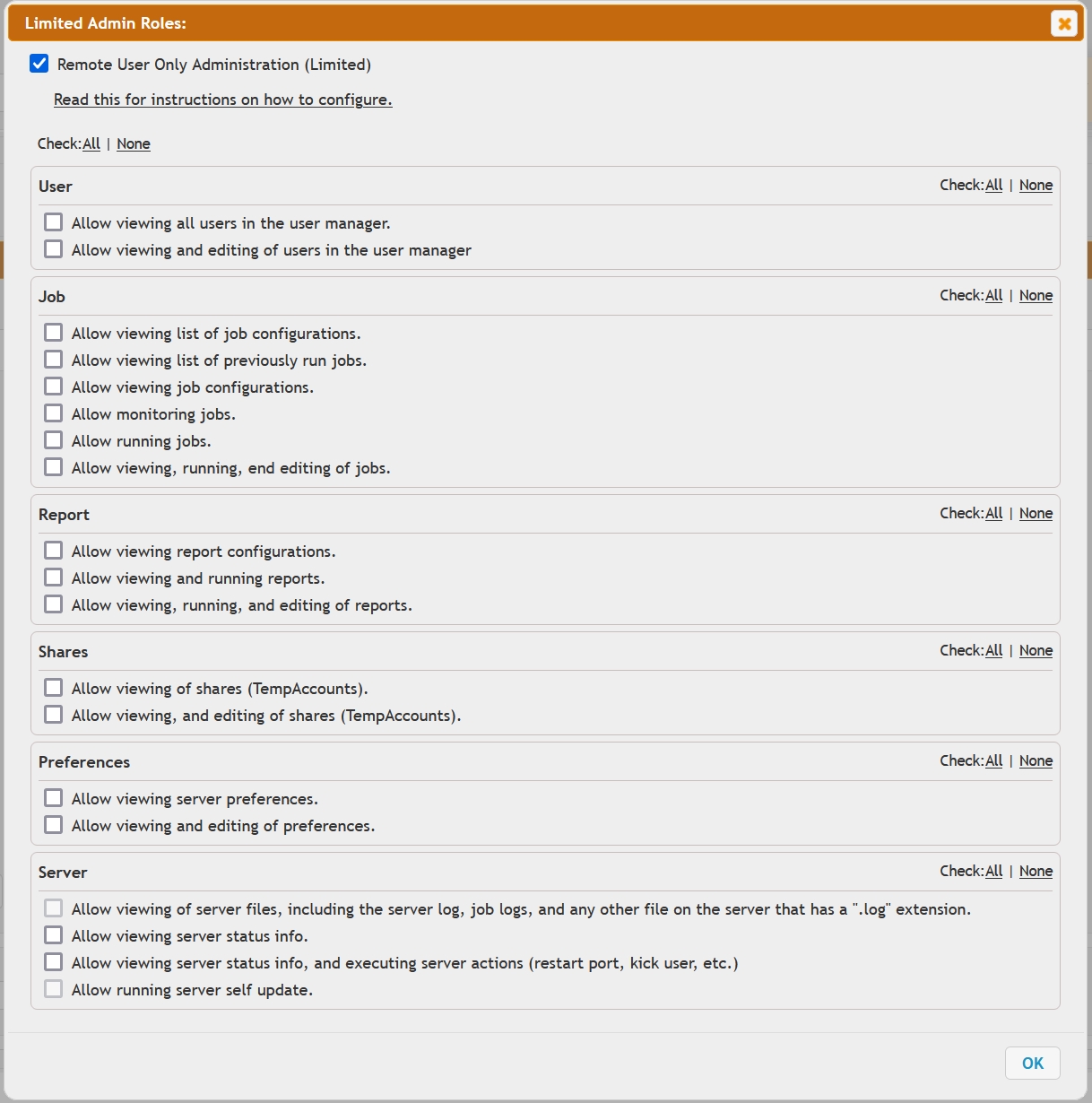
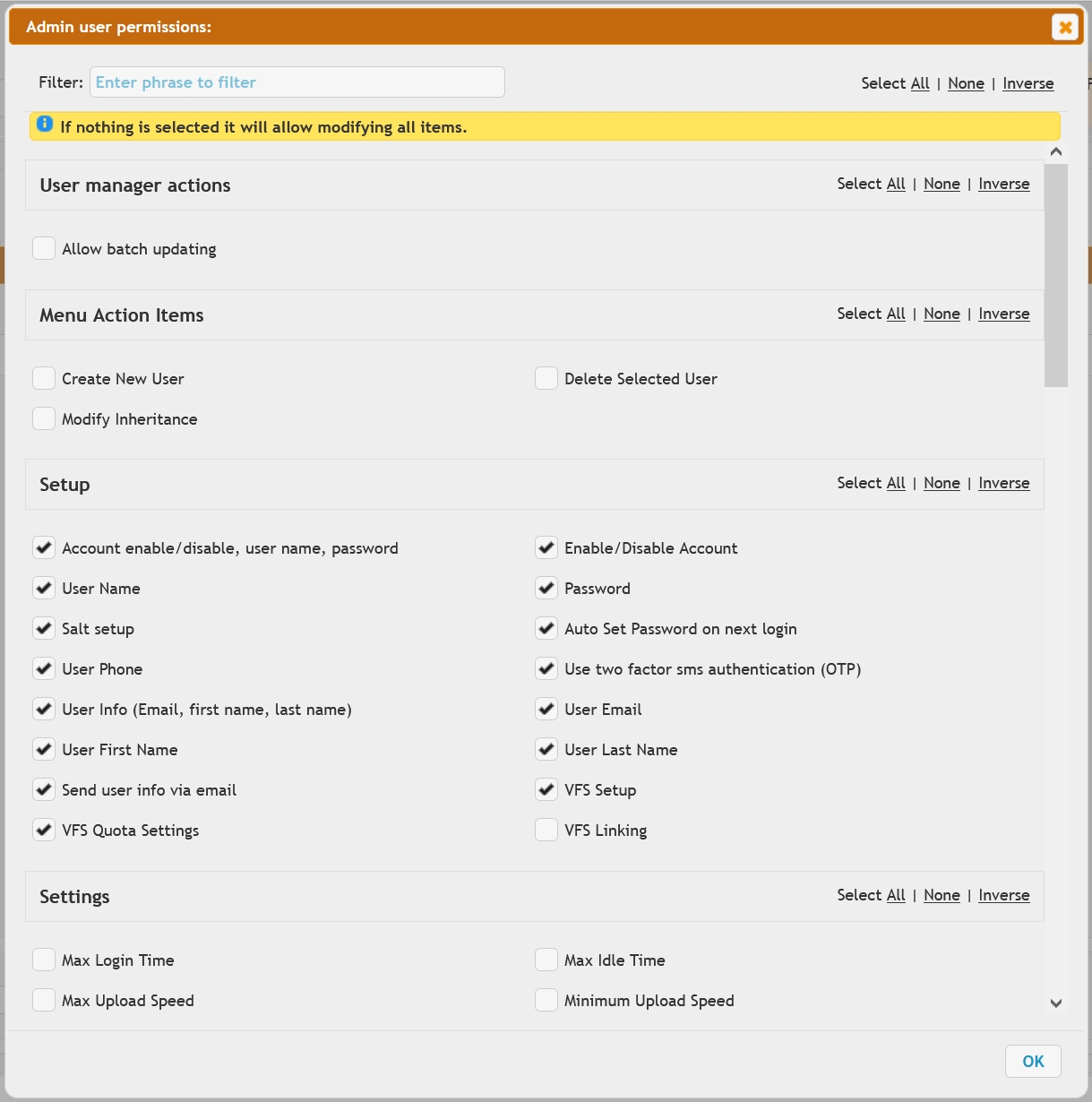
Then grant the admin on the **Setup Roles** panel the **Remote User Only Administration (Limited)** role permission, the **group name** to administer, and eventually restrict the admin roles even further on the **Setup Permissions ( limited admin only)** panel.
### Admin
tab
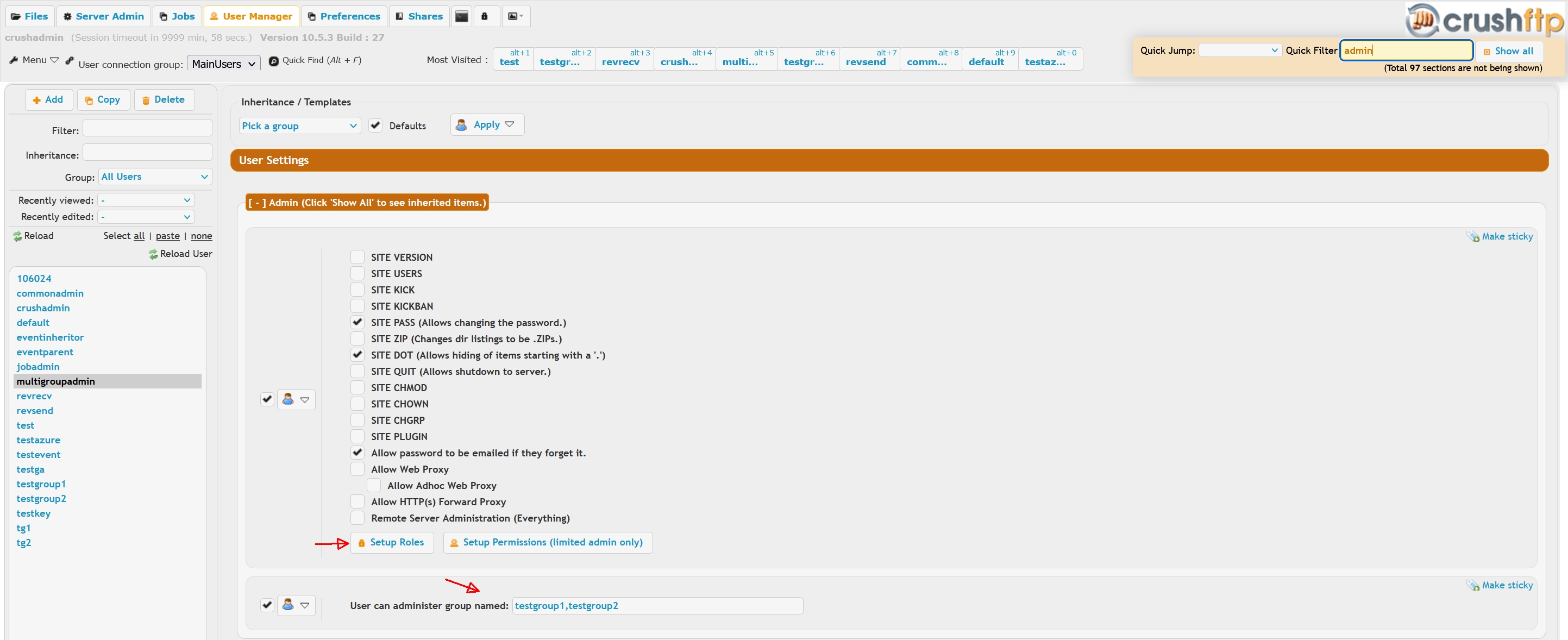 ### Setup Roles
 ### Setup Permissions(Limited Admin Only)
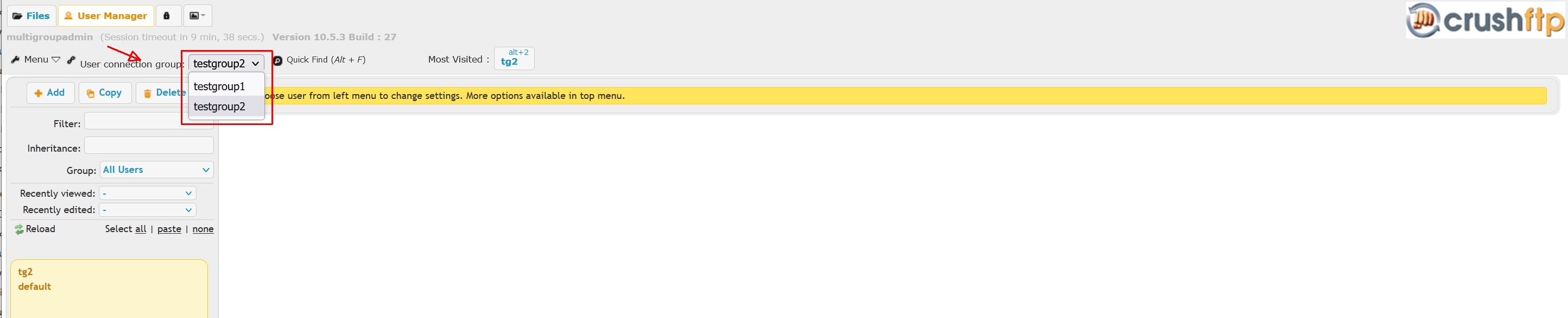
 In CrushFTP **v10** we now support multiple groups for same admin. Each group has to have designated it's own Group Template account, and the VFS directories assigned to these need also to be granted to the Restricted Admin, or this latter to be pointed to an upper level directory.
With the Restricted Admin scenario functional:
1.) If the user is not a member of the group, the change is rejected.\
2.) If the home folders being specified are not a sub folder of the home directory that the group user can access, the change is rejected.\
3.) If the change involves adding an event to a user that specifies a "plugin" action, the change is rejected.\
4.) Other admin escalation permissions are denied too.\
These are done to enforce security and prevent privilege escalation. Any attempted violation of these is logged in the server log for audit purposes.
---
Finally the view from a limited admin when they login. Please note the group selector in top-center area.
 These are done to enforce security and prevent privilege escalation.