# Import Users from CSV
You can import or migrate users from another server or some other configuration using a CSV. Once you have the CSV file exported from the other application or server in a coma or tab delimited format then you can import that into CrushFTP with some easy steps.
The CSV file is basically a data structure with lines of text named "rows", on each row an entity separated by comma (,) that will form together with the rest of the lines the "column". A user account needs at least 3 or 4 columns, user name, password, VFS directory path and permissions. If this latter is ommitted, we'll use the default read only permission set, as defined on **[Preferences->Misc](Misc.md)** page **"Default privs for new VFS items in User Manager:"** field.
Example:
```
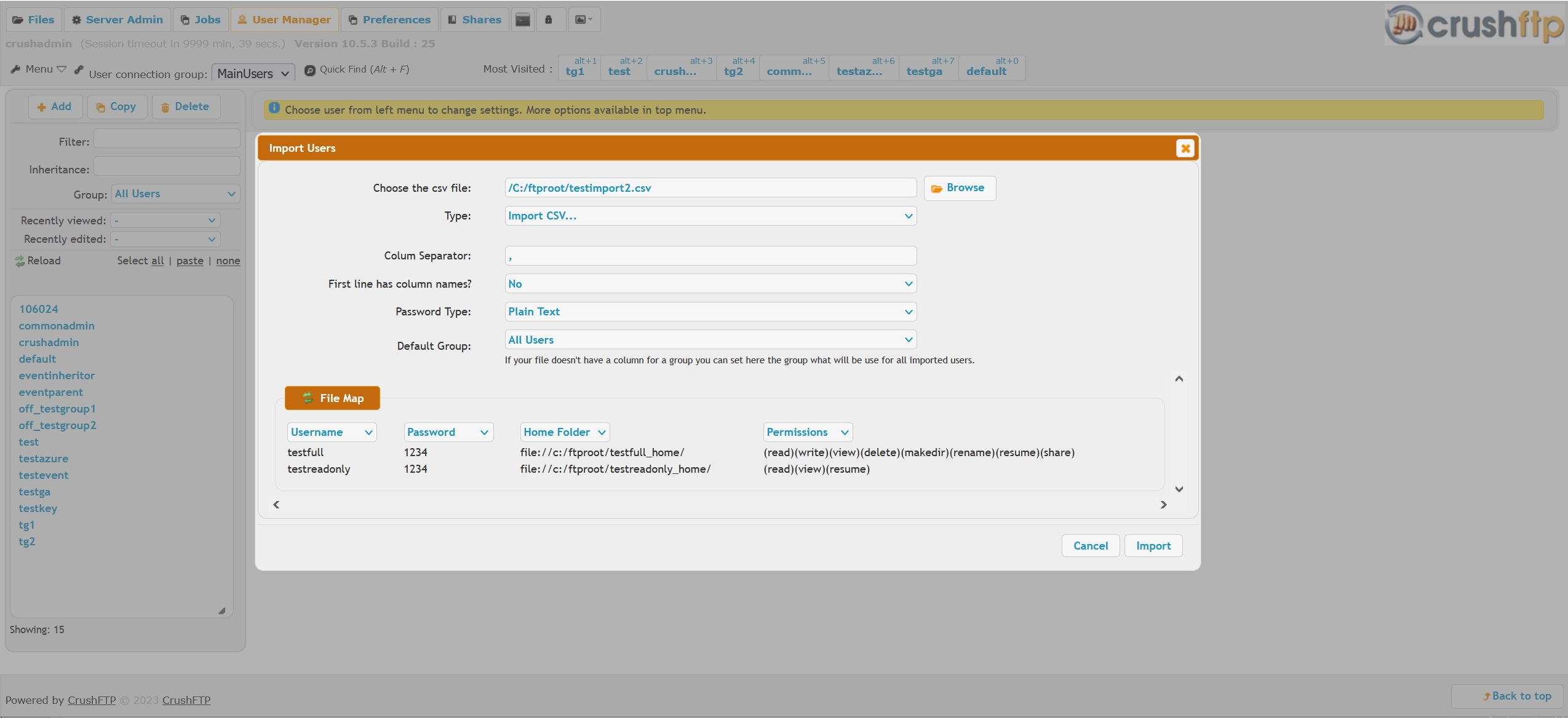
testfull,1234,file://c:/ftproot/testfull_home/,(read)(write)(view)(delete)(makedir)(rename)(resume)(share)
testreadonly,1234,file://c:/ftproot/testreadonly_home/,(read)(view)(resume)
```
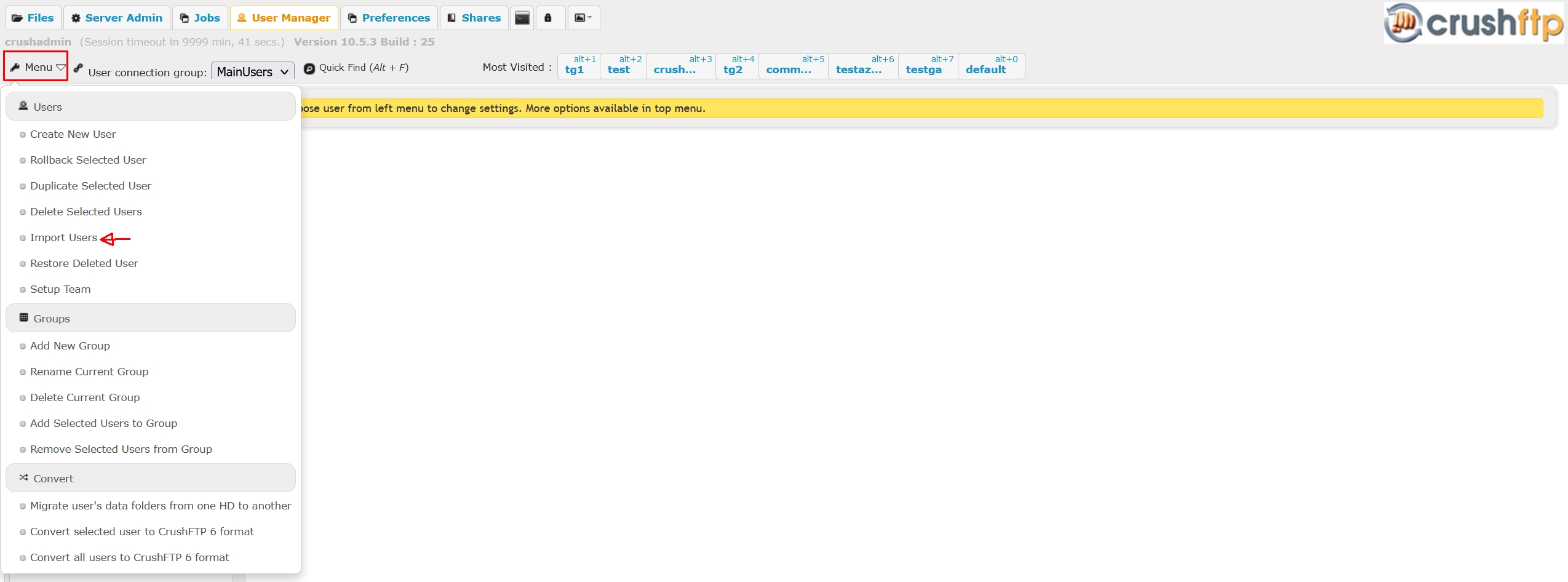
Then in User Manager upper left corner area "Menu" tool set , choose "Import users", browse for the CSV file, map the columns as **User Name**, **Password**, **Home Folder**, **Permissions**. Pretty much any user parameter except events, custom CSS and Javascript and the IP restrictions block can be mapped from CSV.